4G AIRHOME 310 s odnímateľnými 4G anténami
Nenašli sa žiadne položky.
Nenašli sa žiadne položky.
Všetky otázky
4G AIRHOME 310 s odnímateľnými 4G anténami
Nenašli sa žiadne položky.
Nenašli sa žiadne položky.
Ako môžem zmeniť SSID (názov siete Wi-Fi) a heslo? (Prípad 1: Rýchle nastavenia)
V webovom rozhraní máte k dispozícii dva spôsoby, ako zmeniť SSID a heslo vášho routera:
• Pomocou funkcie Rýchle nastavenia
• Alebo pomocou Nastavení Wi-Fi
1Rýchlenastavenia
V webovom používateľskom rozhraní vám funkcia „Rýchle nastavenia“ umožňuje zmeniť údaje o vašej sieti: jej SSID a heslo.
Na to kliknite na položku „Rýchle nastavenia“ v hornom paneli.

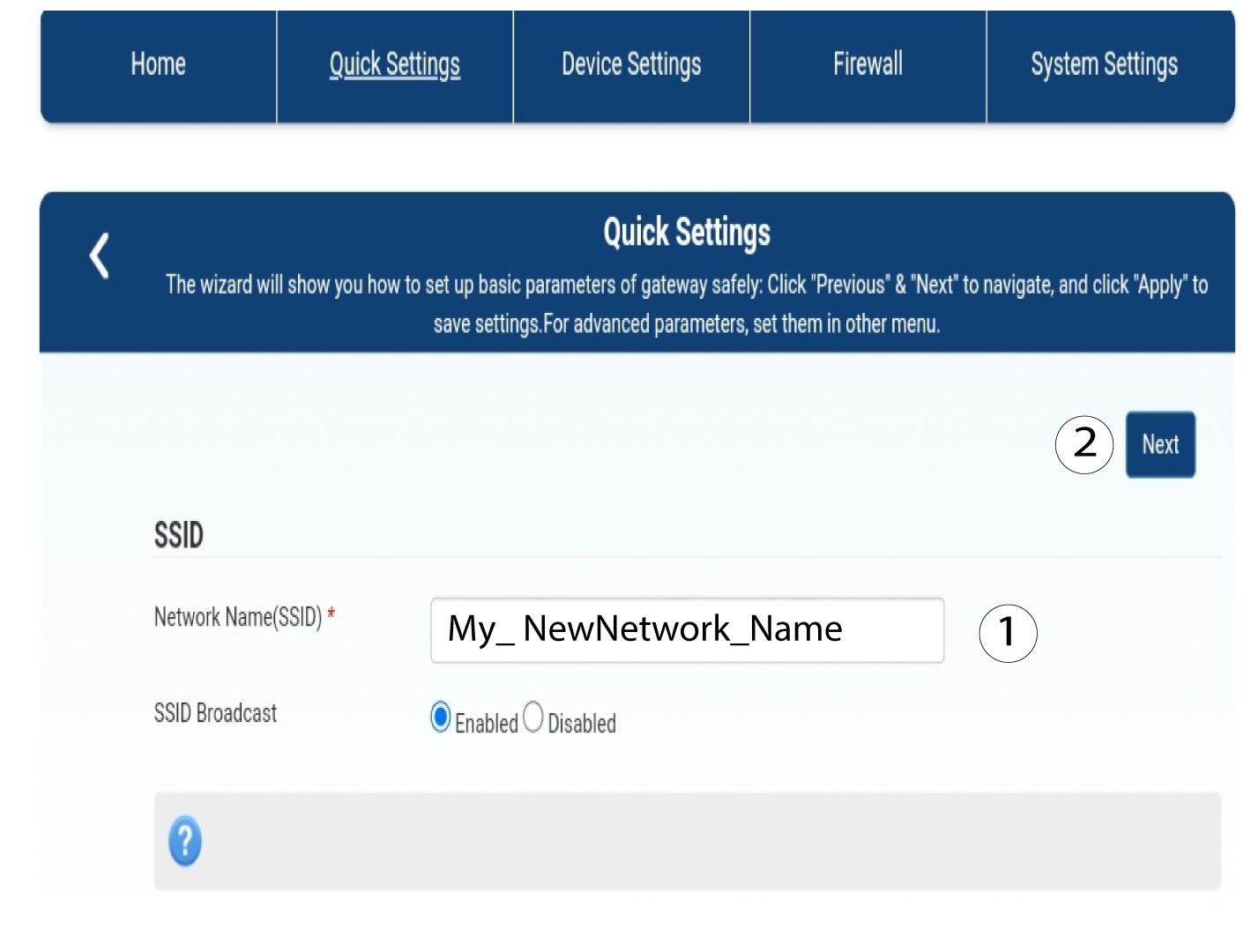
2Zadajtenový názov siete
Potom zadajte nový názov siete a kliknite na tlačidlo Ďalej.
3Zobraziťheslo k Wi-Fi
Kliknite na položku „Zobraziť heslo“.
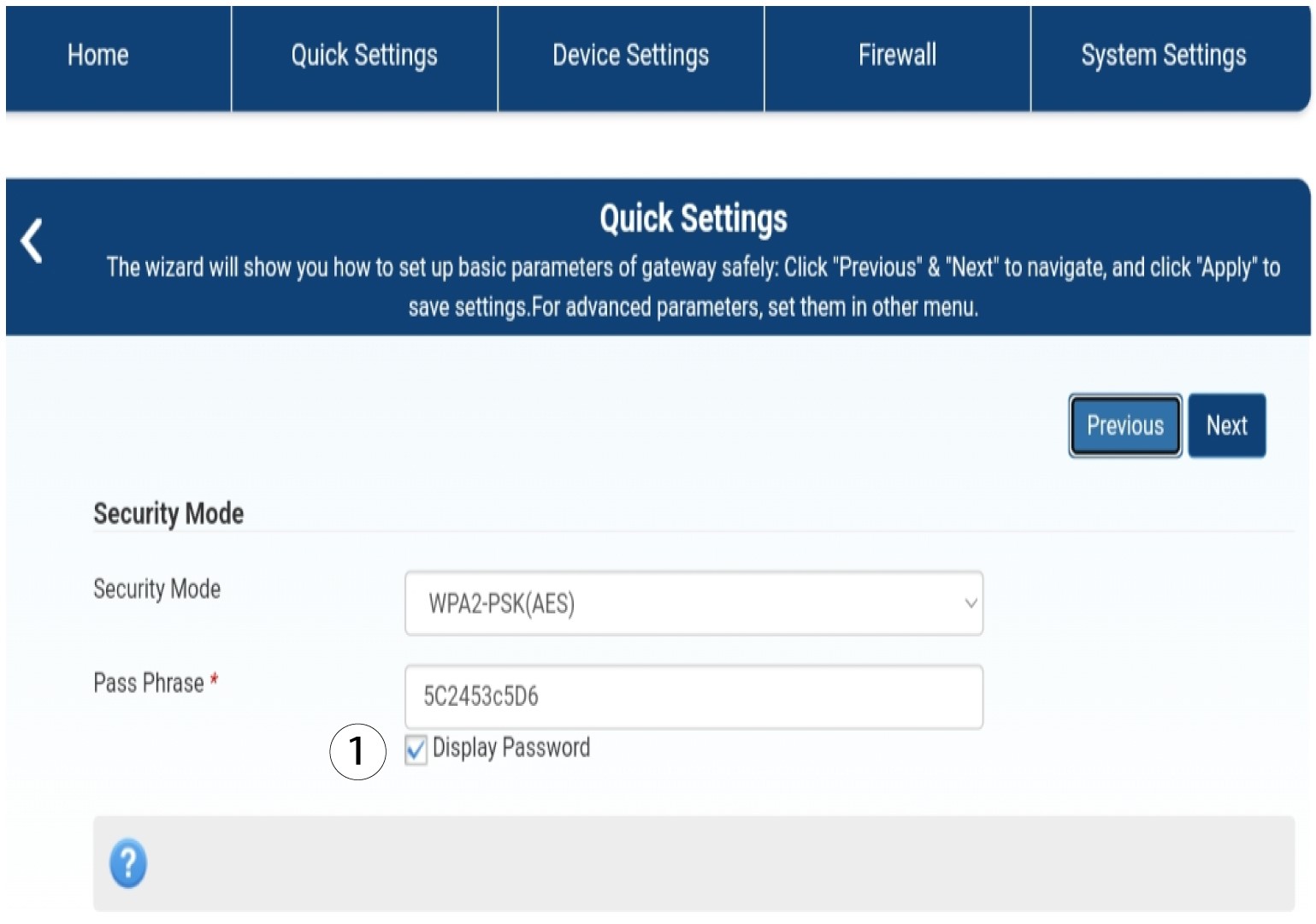
4Zadajtenové heslo
Zmeňte si heslo. Potom kliknite na „Ďalej“.

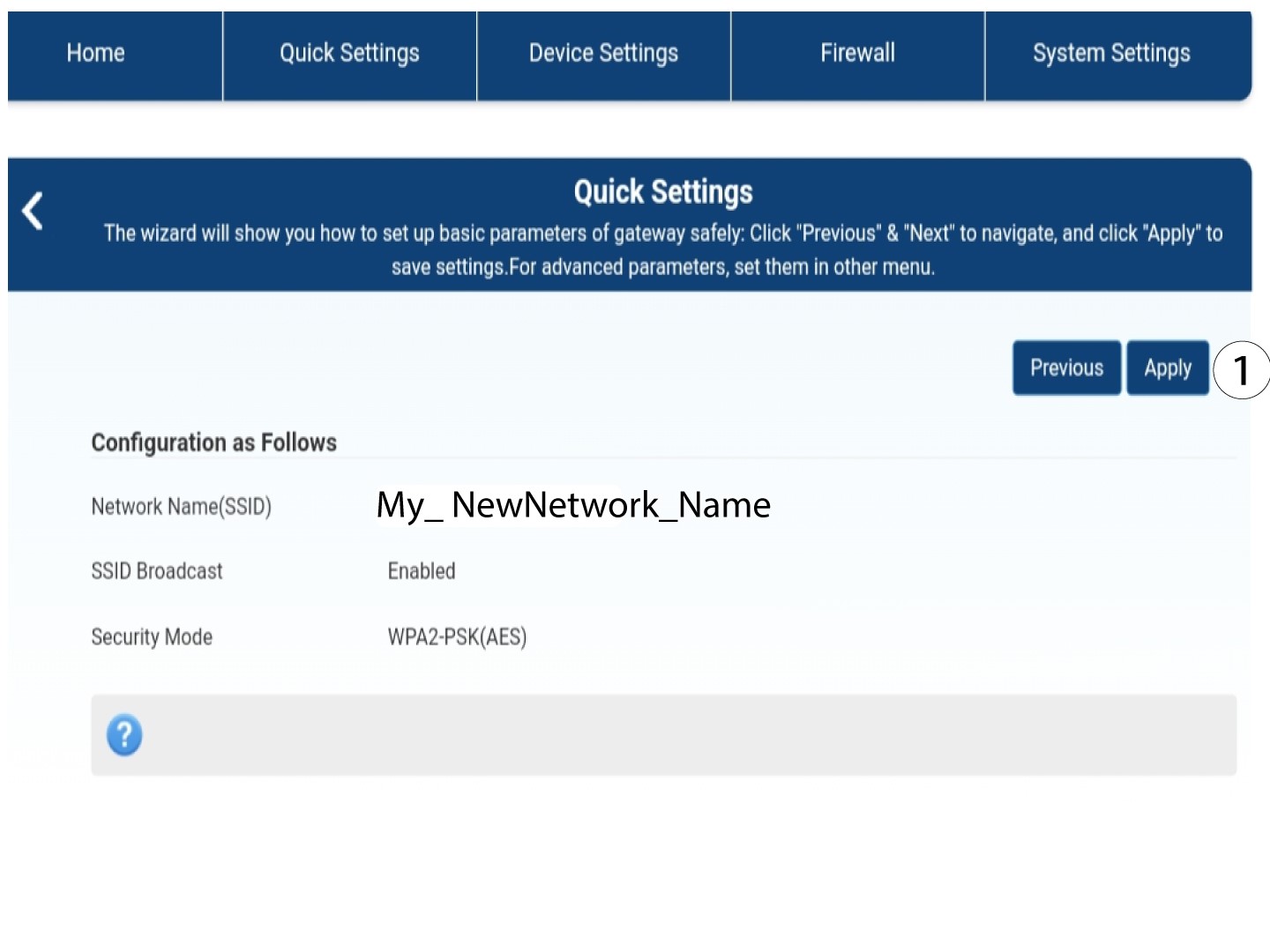
5. Uložtenové informácie o sieti
Ak chcete zmeny uložiť, kliknite na tlačidlo „Použiť“.
6. Zapíštesi nové sieťové údaje
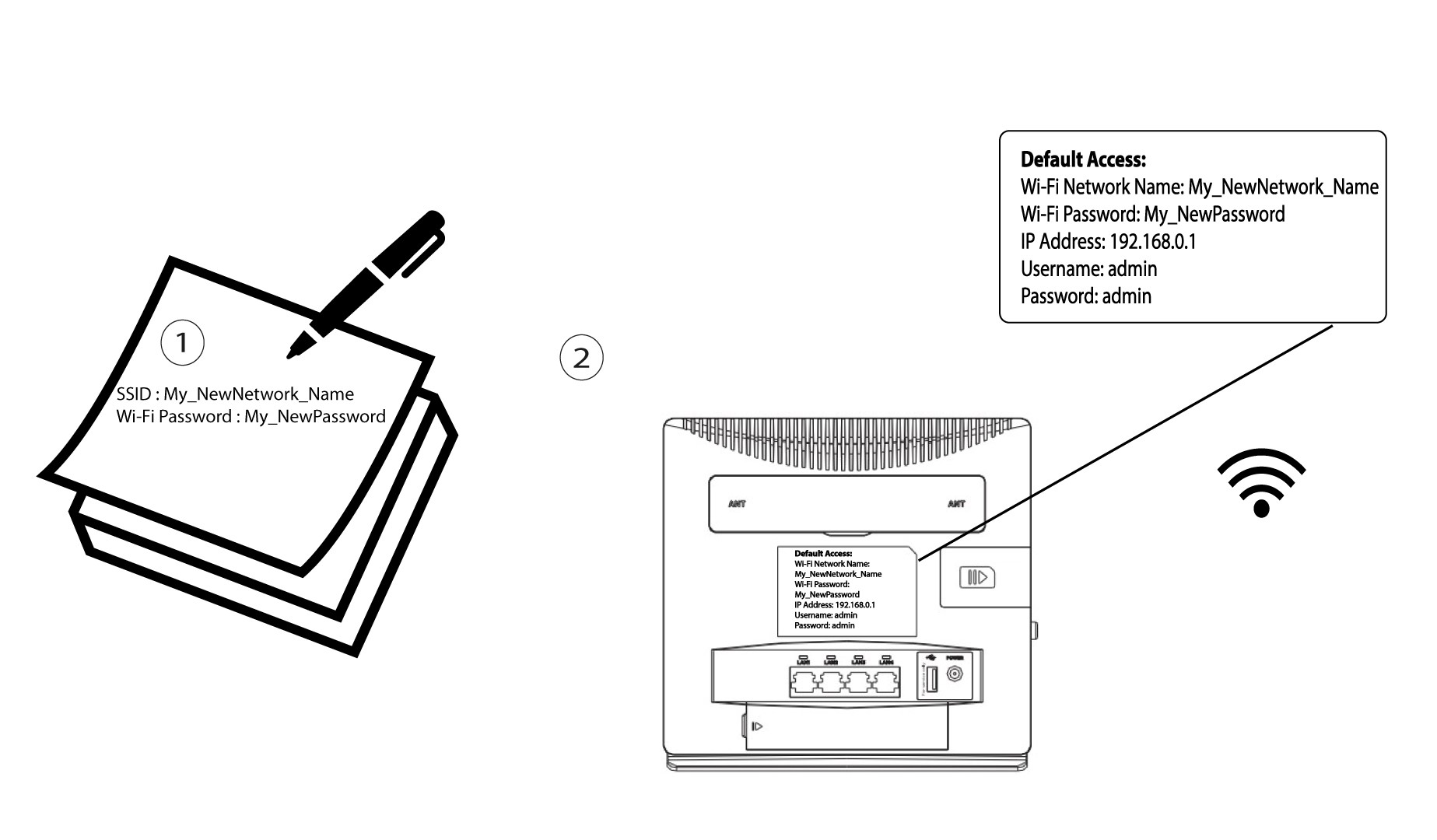
Zapíšte si nové SSID a heslo na papier a prilepte ho na router.