
4G AIRHOME 310 s odnímateľnými 4G anténami
Všetky otázky
4G AIRHOME 310 s odnímateľnými 4G anténami
Ako môžem vypnúť Wi-Fi?
Ak uprednostňujete používanie routera tak, že ho pripojíte priamo k zariadeniu pomocou ethernetového kábla, je možné vypnúť Wi-Fi.
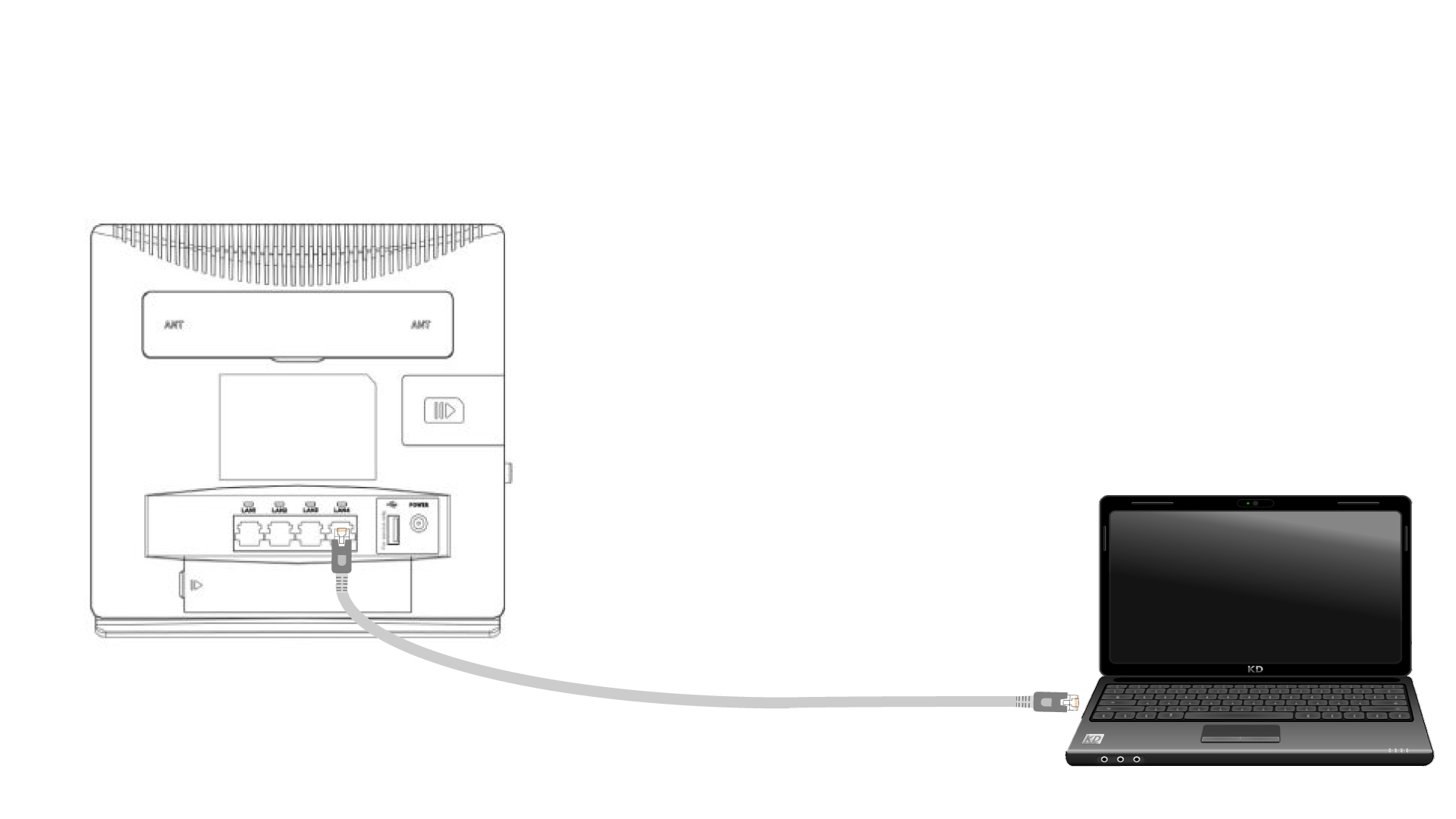
1. Pripojte sak routeru pomocou ethernetového kábla
Pripojte kábel RJ45 k routeru, aby ste získali prístup k webovému používateľskému rozhraniu. Pri pripájaní sa k webovému používateľskému rozhraniu postupujte podľa nižšie uvedených pokynov (po kroku 2):
2. Nastavenia Wi-Fi
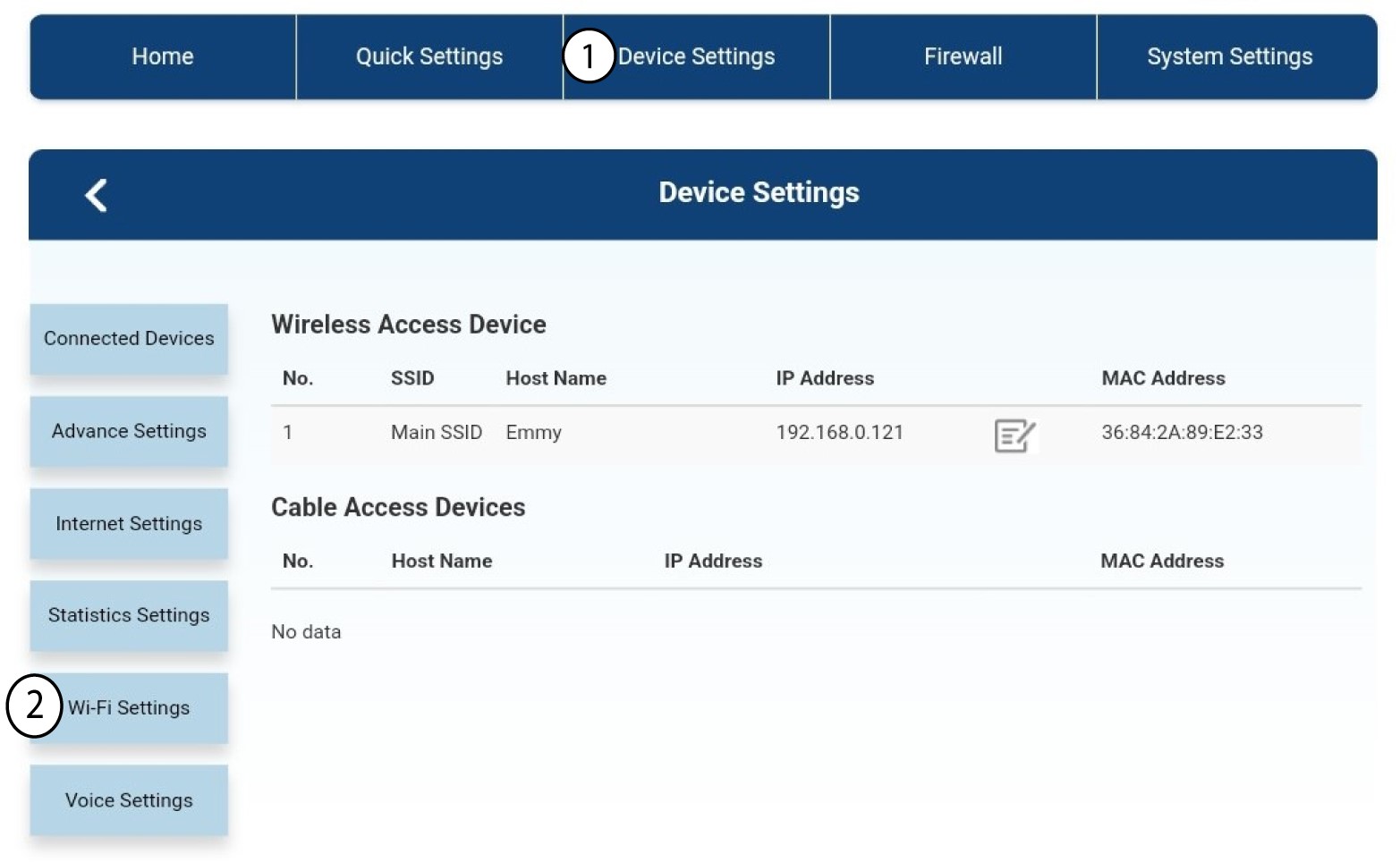
Potom kliknite na položku „Nastavenia zariadenia “ a následne vyberte položku „Nastavenia Wi-Fi“.
3. VypnúťWi-Fi
V nastaveniach Wi-Fi vyberte položku „Wi-Fi“ ( Switch). Následne kliknite na položku „Vypnuté“ ( box ) a na tlačidlo „Použiť“ (Apply).
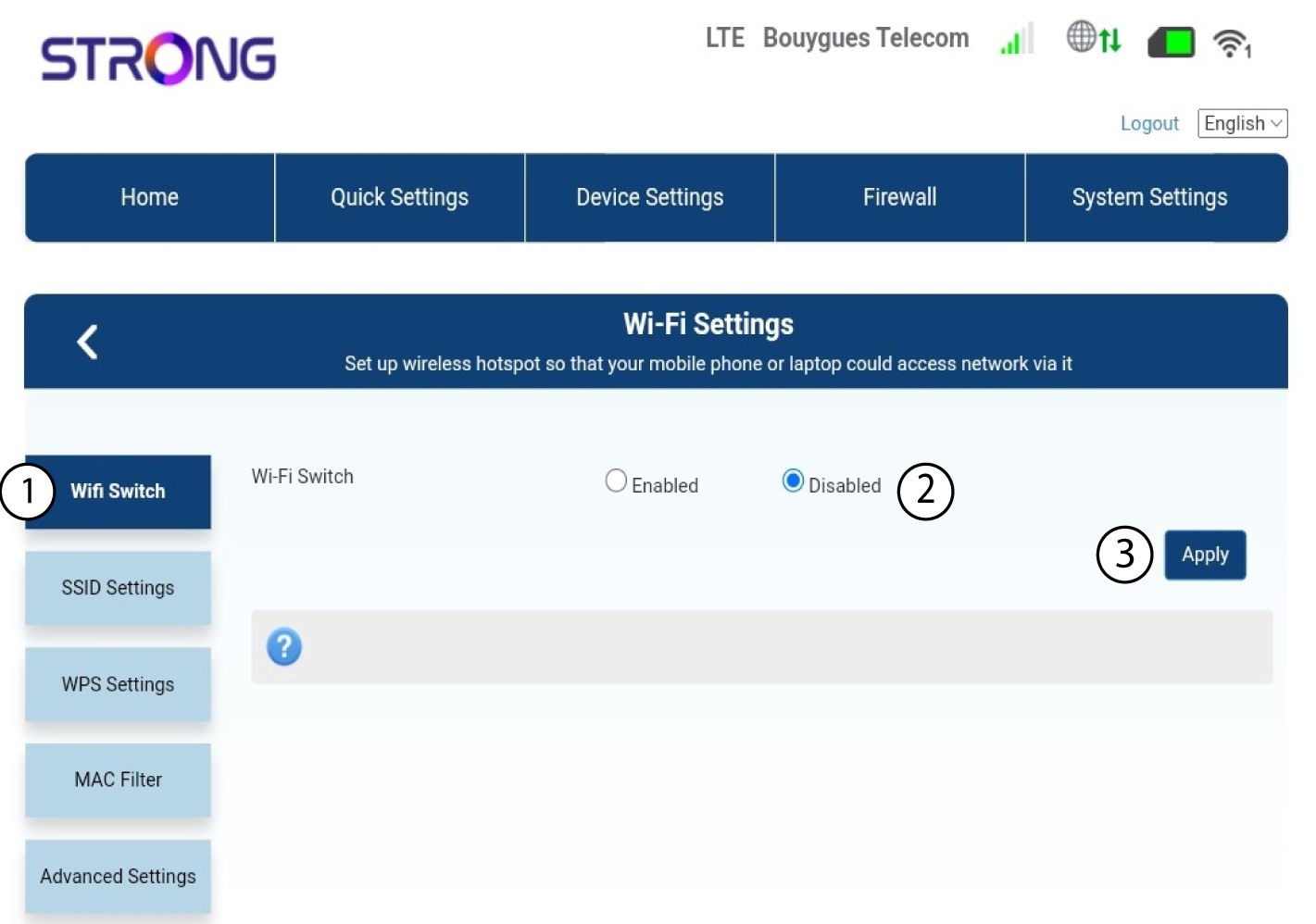

Sieť Wi-Fi na routeri je deaktivovaná. Všetky zariadenia, ktoré boli predtým pripojené k sieti, sa automaticky odpoja. Ak chcete Wi-Fi opäť aktivovať, musíte prejsť do webového rozhrania alebo môžete router obnoviť do továrenských nastavení.