4G AIRHOME 310 s odnímateľnými 4G anténami
Všetky otázky
4G AIRHOME 310 s odnímateľnými 4G anténami
Ako môžem skontrolovať a upraviť nastavenia APN môjho poskytovateľa služieb?
Ak zariadenie automaticky nerozpozná vašu SIM kartu, musíte sa prihlásiť do webového rozhrania, skontrolovať nastavenia APN a v prípade potreby ich upraviť. Nastavenia APN vášho poskytovateľa služieb nájdete priamo na jeho webovej stránke alebo si ich môžete vyžiadať od technickej podpory vášho poskytovateľa služieb.

Upozornenie: Ak vašu mobilnú sieť poskytuje virtuálny mobilný operátor (MVNO), obráťte sa na jeho zákaznícku podporu, kde získate potrebné informácie o APN.
- MVNO sa pripája k sieti iného operátora mobilnej siete, aby vám zabezpečilo pokrytie, ktoré závisí od vašej polohy.
1. Pripojtesa k Wi-Fi sieti routera
Musíte sa pripojiť k webovému rozhraniu. Na to zadajte do svojho zariadenia SSID a heslo routera.

2Prejditena IP adresu webového rozhrania
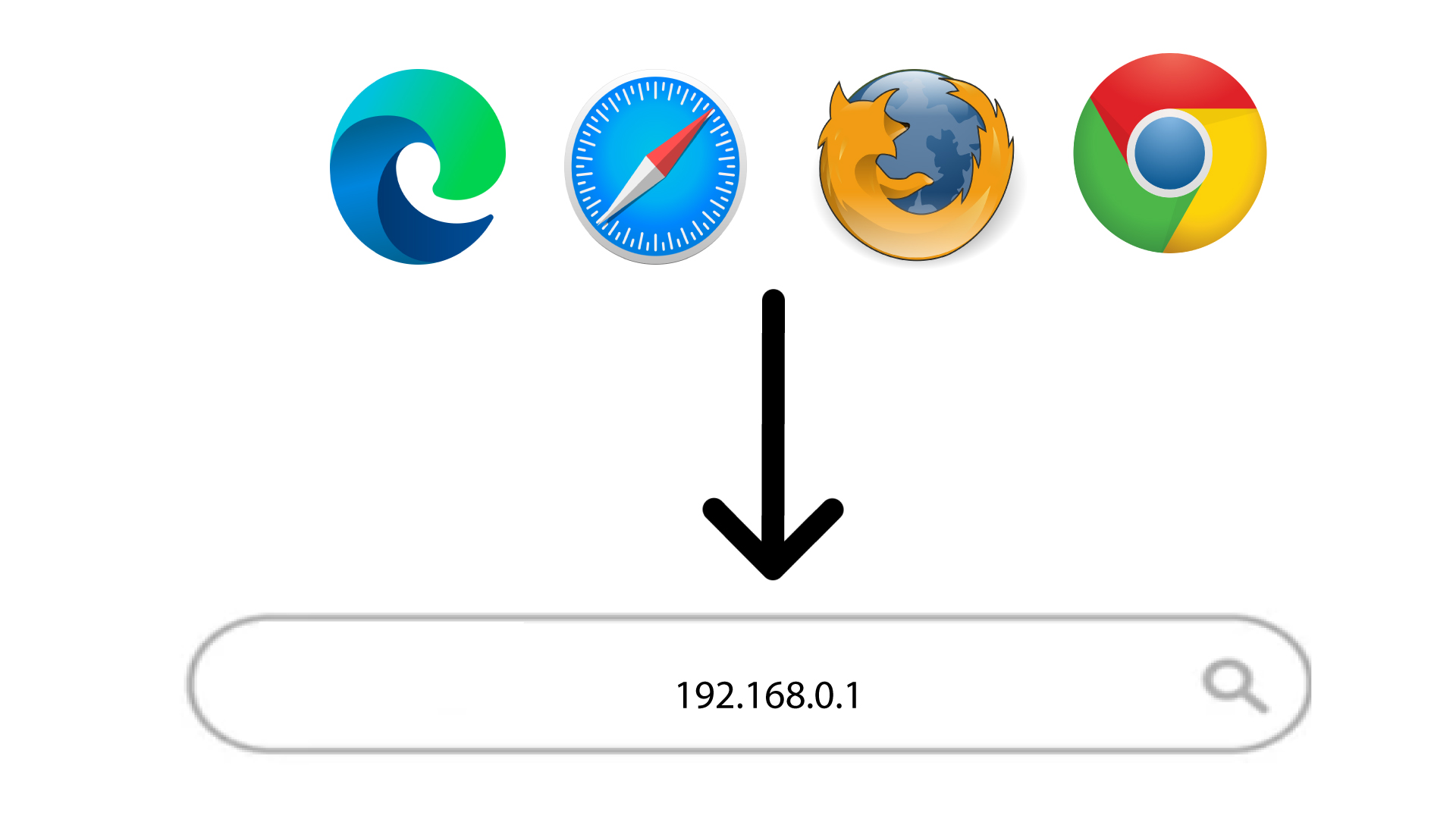
Potom zadajte do prehliadača nasledujúcu IP adresu: 192.168.0.1
3Prihlásenie
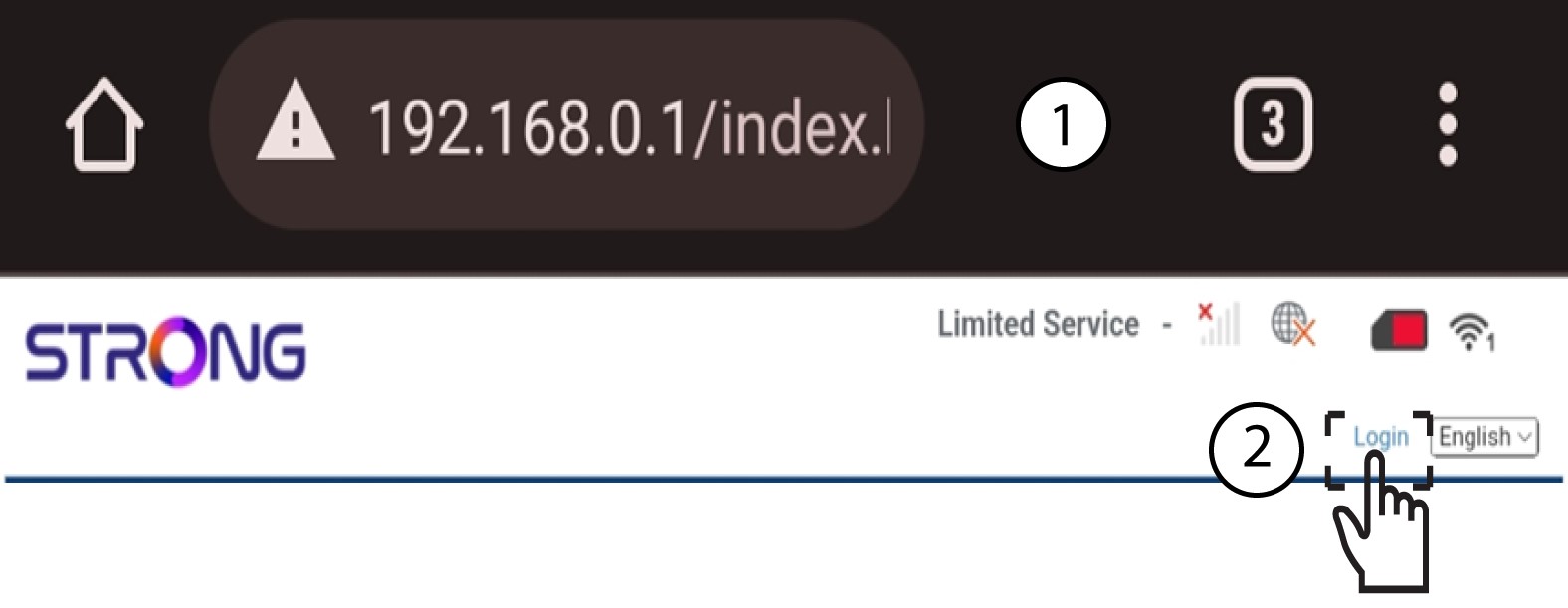
Keď sa dostanete na stránku s IP adresou, kliknite na „Prihlásiť sa“.
4Zadajtesvoje prihlasovacie údaje
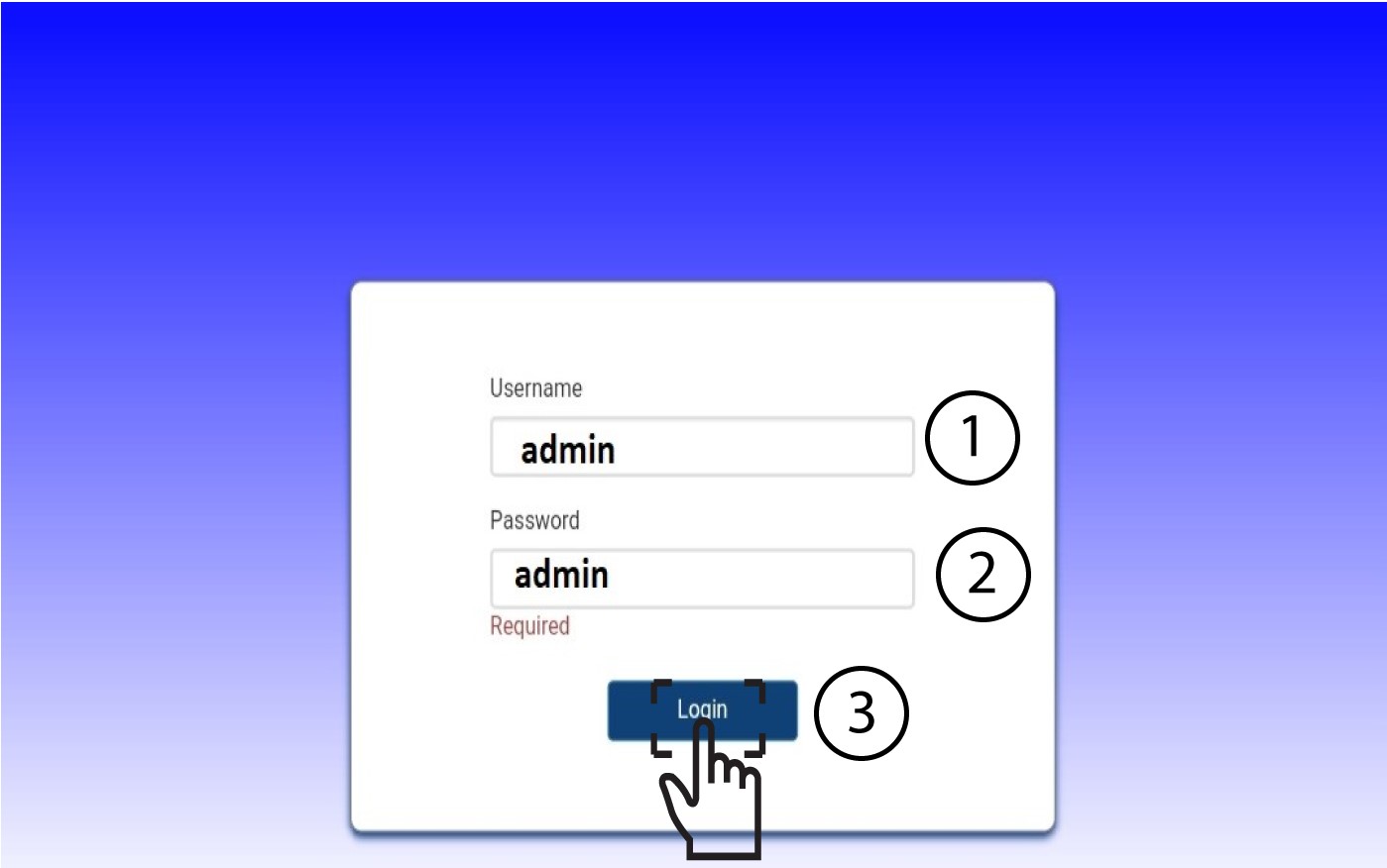
Musíte zadať používateľské meno a heslo. Potom kliknite na „Prihlásiť sa“.
5. Nastavenia internetu
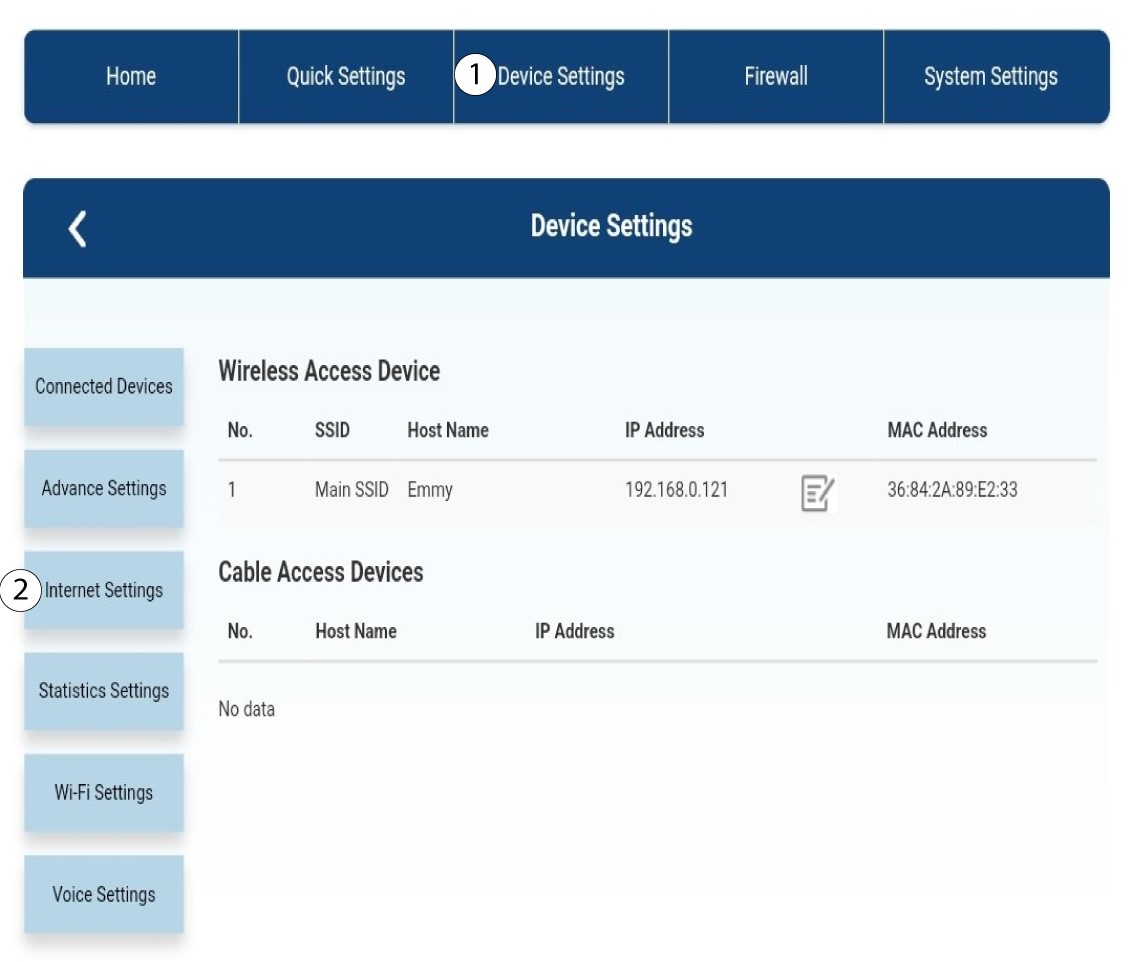
Kliknite na položku „Nastavenia zariadenia “ a potom na „Nastavenia internetu“.
Nastavenia 6APN
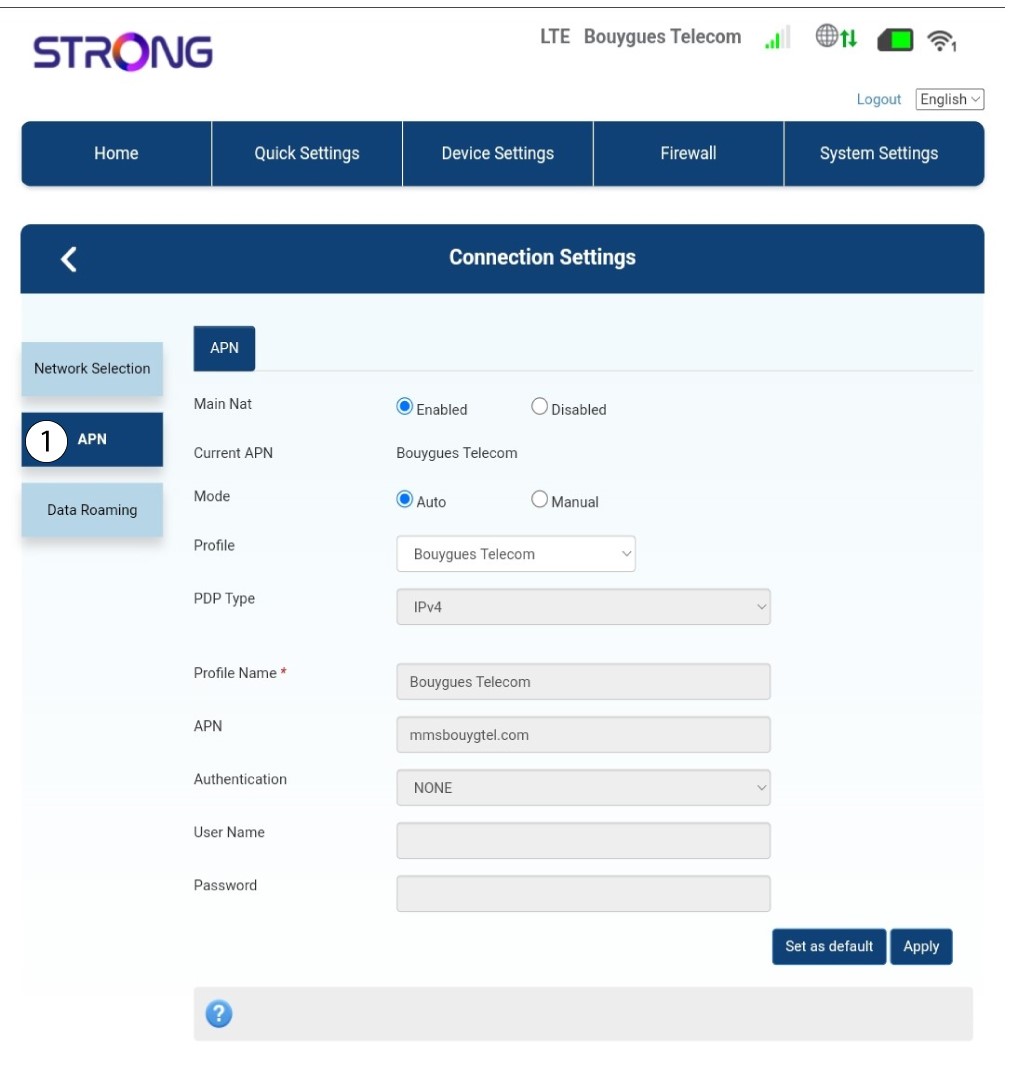
Kliknite na položku APN.
7Vyhľadajtenastavenia APN vášho poskytovateľa služieb
Nastavenia APN nájdete na webovej stránke vášho poskytovateľa služieb. Musíte si zapísať nasledujúce informácie:
- Meno
- APN
- Používateľské meno
- Heslo
- Typ overovania
8. Ak je konfigurácia nesprávna, upravteúdaje
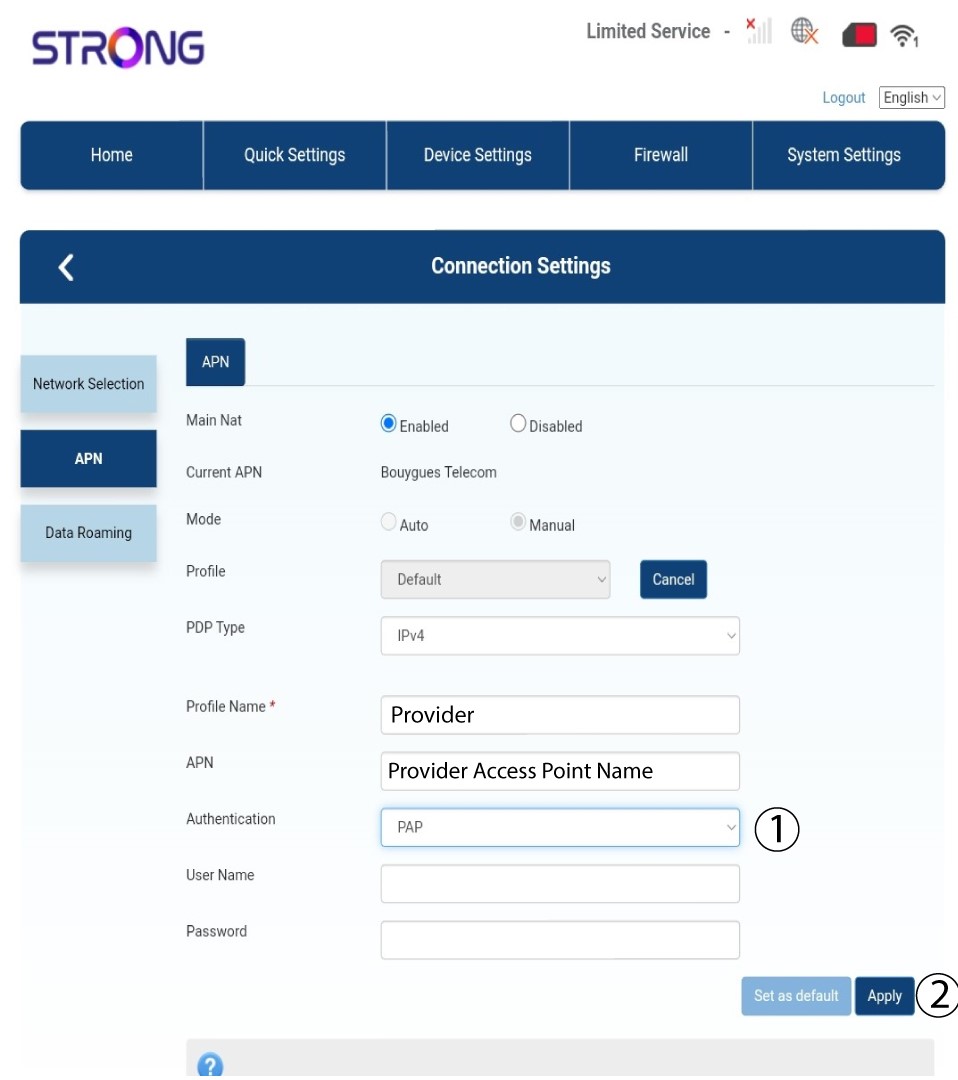
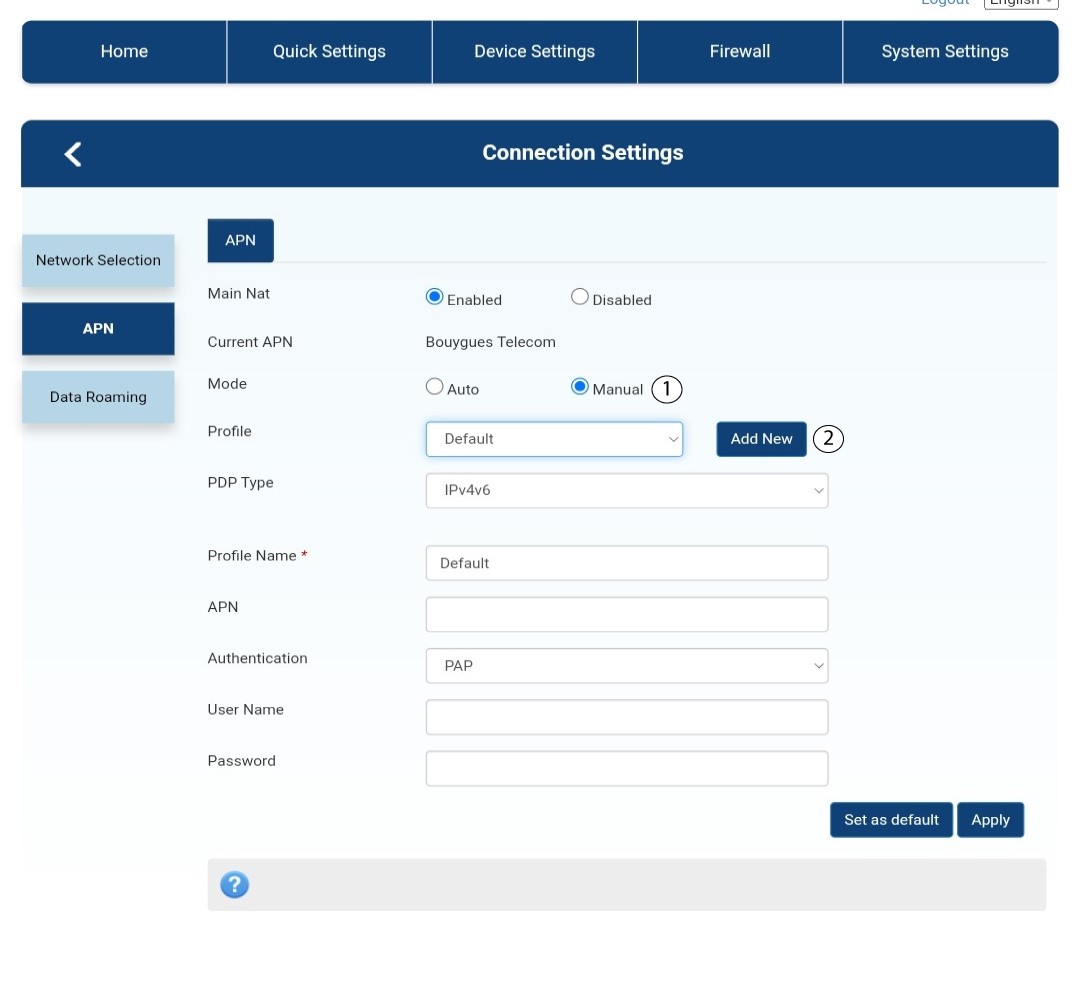
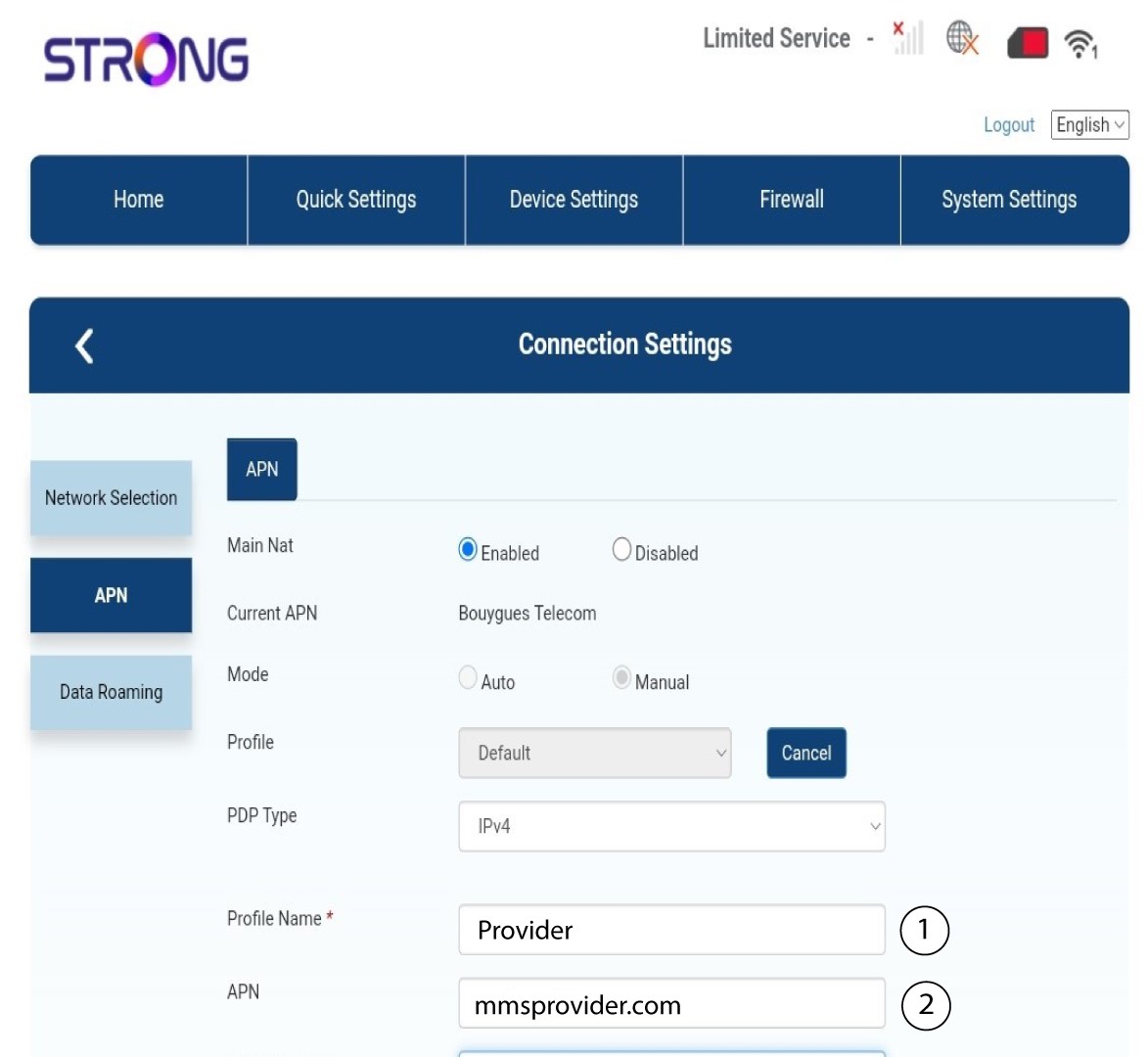
Ak sú informácie nesprávne, kliknite na „Ručne “ a potom na „Pridať nové“.
Typ 9PDP
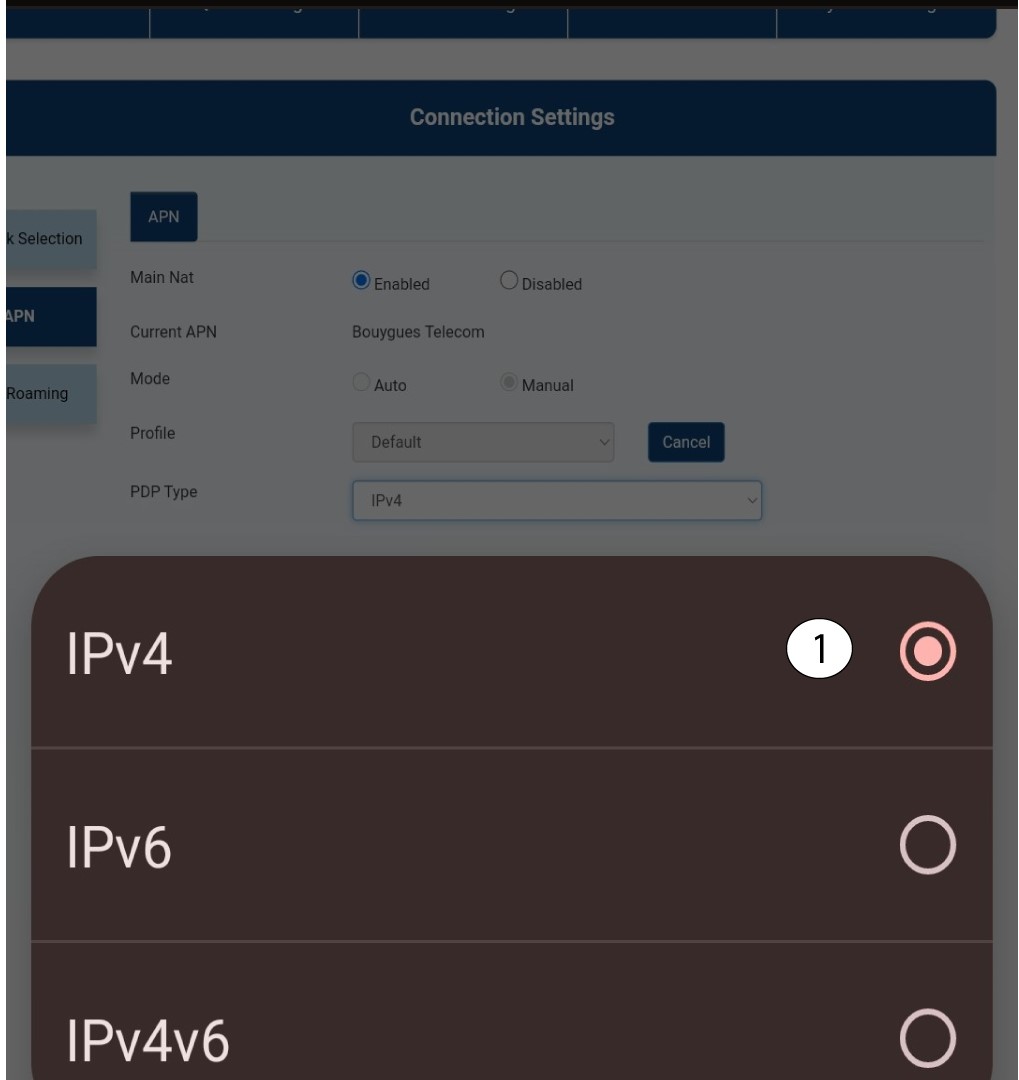
V poli „Typ PDP“ vyberte správny typ APN: IPv4, IPv6 alebo IPv4v6. V našom prípade je typ PDP IPv4.
10Zadajteúdaje o svojom poskytovateľovi služieb
Do poľa „Názov profilu “ zadajte názov svojho poskytovateľa služieb (maximálne 14 znakov vrátane medzier). Následne zadajte adresu APN do poľa „APN “.
11Typ overovania
Z nasledujúcich možností vyberte typ overovania, ktorý pre váš APN definoval váš poskytovateľ, a kliknite na tlačidlo „Použiť“:
• NONE
• CHAP
• PAP