
4G AIRSPOT 220 Мобилни Wi-Fi са екраном
Нема пронађених ставки.
Нема пронађених ставки.
Сва питања
4G AIRSPOT 220 Мобилни Wi-Fi са екраном
Нема пронађених ставки.
Нема пронађених ставки.
Како да приступим веб корисничком интерфејсу?
Да бисте приступили веб интерфејсу, морате бити повезани на Wi-Fi мрежу вашег 4G ПРЕНОСНОГ ХОТСПОТА 150 СА ЕКРАНОМ/4G ПРЕНОСНОГ ХОТСПОТА 150 након што поставите SIM картицу у слот.
1 Повежите се са Wi-Fi мрежом рутера
Да бисте то урадили, унесите ССИД и лозинку рутера у свој уређај.
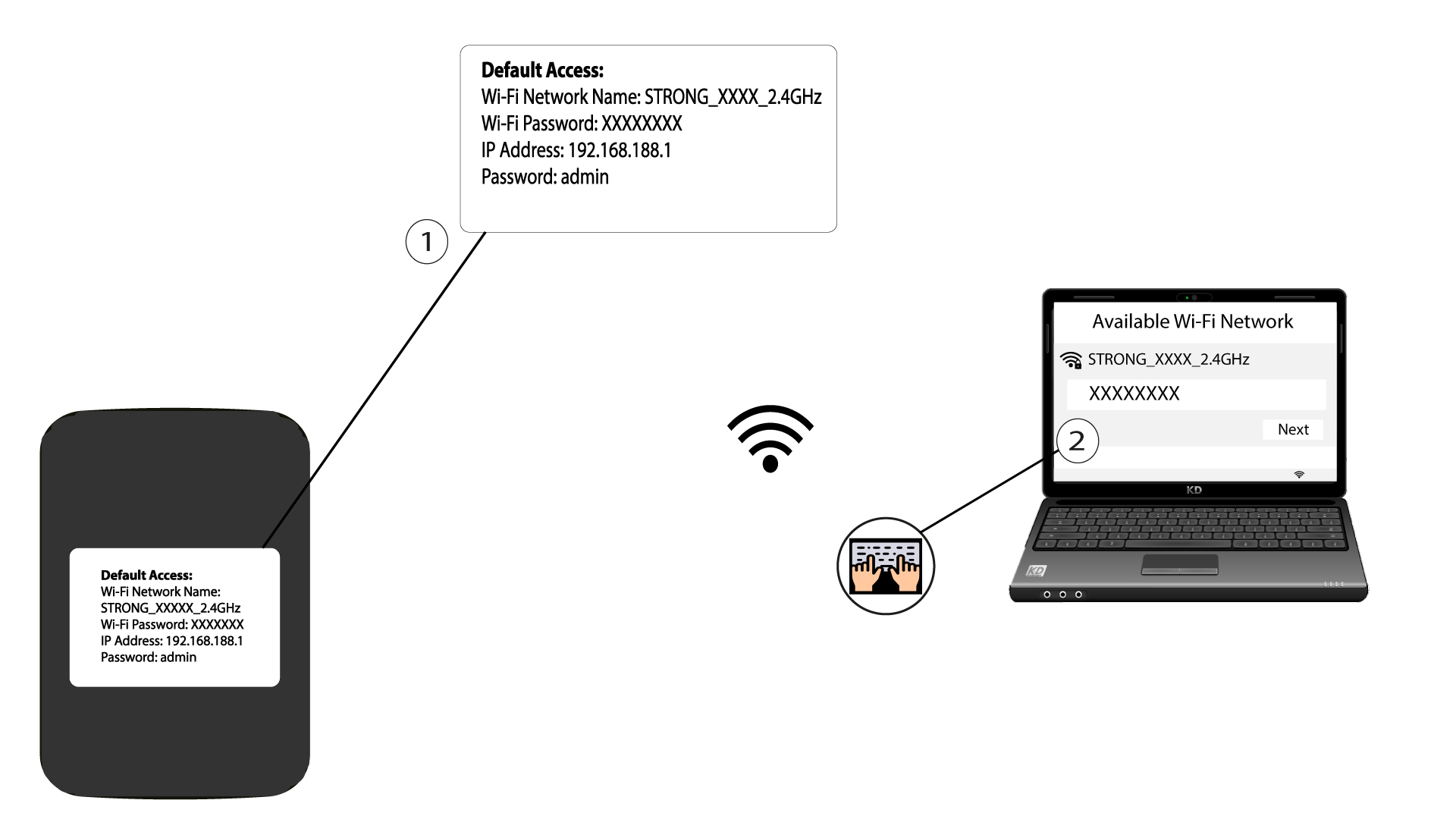
2. Прегледајте ИП адресу веб интерфејса
Затим, унесите следећу ИП адресу у ваш прегледач: 192.168.188.1

3 Приступите страници за пријаву
Када пронађете ИП адресу, морате унети лозинку и кликнути на дугме „Пријава“.

4 Порука упозорења
Када се повежете, видећете упозорење о администраторској лозинки.


Упозорење: Након првог повезивања, препоручујемо вам да промените администраторску лозинку како бисте осигурали приступ рутеру и спречили хаковање.