
4G AIRSPOT 220 Мобилни Wi-Fi са екраном
Сва питања
4G AIRSPOT 220 Мобилни Wi-Fi са екраном
Немам интернет након што сам убацио СИМ картицу у рутер, зашто?
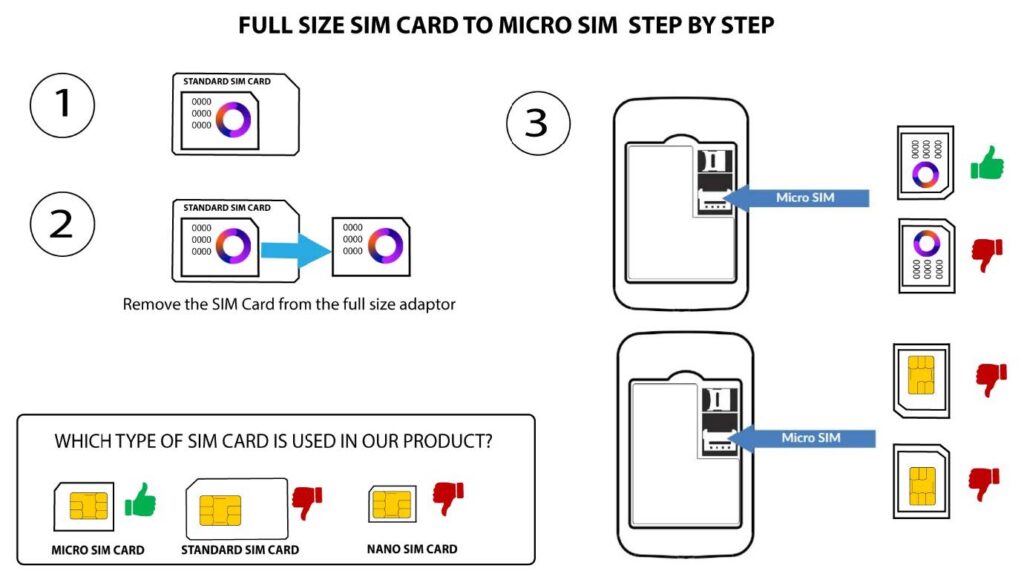
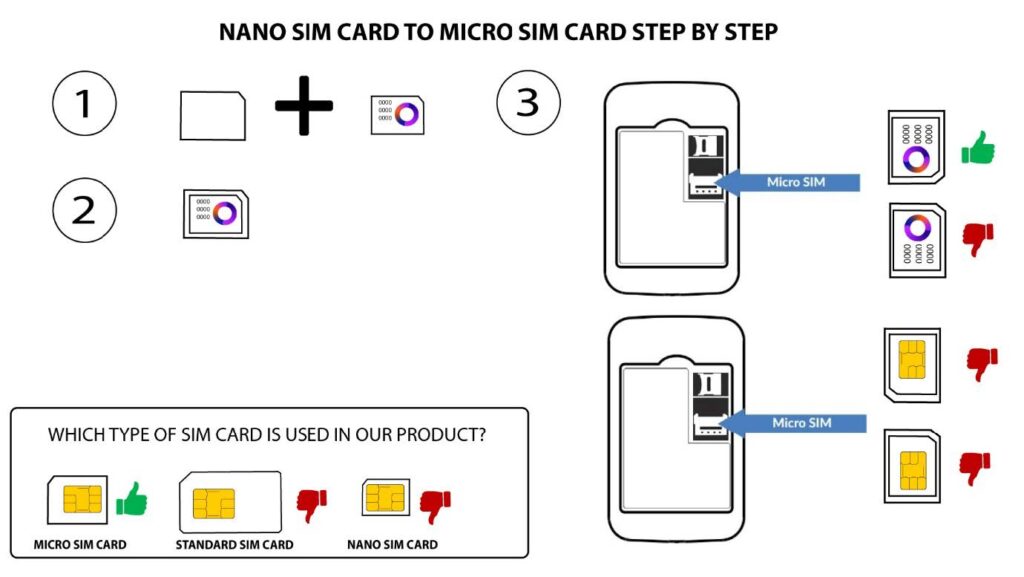
Постоји много разлога који могу објаснити зашто ваша интернет веза не ради након уметања СИМ картице. Први може бити да СИМ картица није правилно уметнута, проверите положај СИМ картице погледајући шему која приказује поступак уметања.
СЛУЧАЈ 1: SIM картица пуне величине на микро картицу
СЛУЧАЈ 2: Прелазак са нано СИМ картице на микро СИМ картицу
Други разлог може бити да је ваша СИМ картица закључана ПИН-ом. Да бисте је откључали
морате се повезати са веб интерфејсом и унети ПИН код. Молимо вас да пратите упутства
поступак описан у следећем одељку: Како да унесем ПИН код своје СИМ картице?
Коначно, могуће је и да је ваша СИМ картица детектована, али не
аутоматски препознаје уређај. У том случају морате се повезати са
Веб кориснички интерфејс и проверите подешавања АПН-а вашег провајдера услуга. Ова процедура је
објашњено у следећем одељку: Како да проверим и изменим подешавања АПН-а
мој добављач услуга?