
4G AIRSPOT 220 Мобилни Wi-Fi са екраном
Сва питања
4G AIRSPOT 220 Мобилни Wi-Fi са екраном
Коју врсту СИМ картице могу да убацим у рутер?
Микро SIM картица мора бити уметнута у слот за SIM картицу уређаја 4G PORTABLE HOTSPOT 150/4G PORTABLE HOTSPOT 150 WITH A DISPLAY. Не морате да бринете о величини ваше SIM картице јер се у паковању рутера налазе адаптери који одговарају величини. Морате уметнути SIM картицу пре укључивања уређаја.
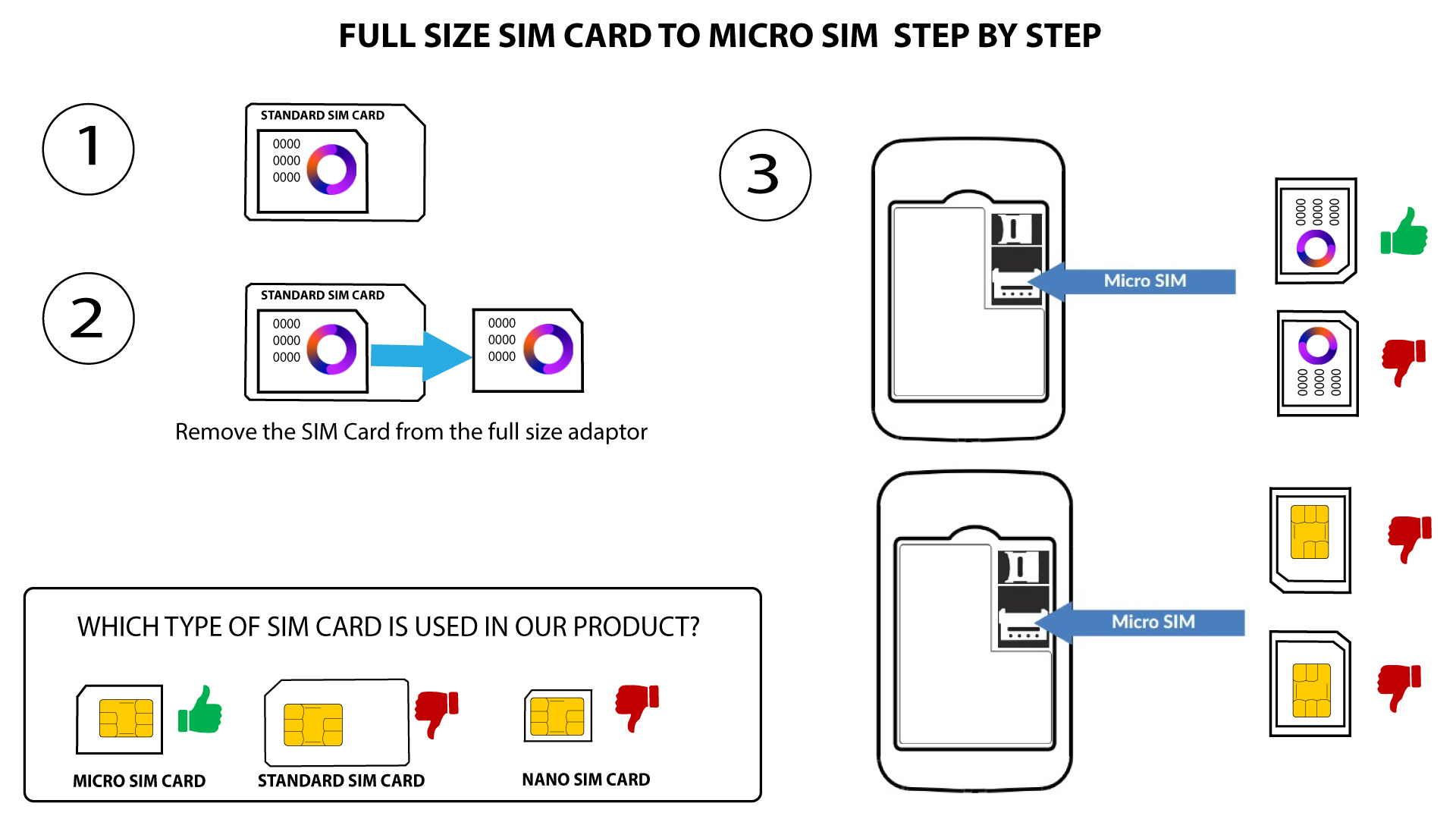
1 Кутија 1: СИМ картица пуне величине на микро СИМ картицу
Када ставите СИМ картицу у адаптер, наставите да је притискате у адаптеру да бисте је задржали. Узмите уређај у руку и уметните СИМ картицу у слот на исти начин као што је приказано на шеми испод.
2 Случај 2: Са нано СИМ картице на микро СИМ картицу
Када ставите СИМ картицу у адаптер, наставите да је притискате да бисте је држали. Узмите уређај у руку и уметните СИМ картицу у слот у истом положају као на шеми испод.
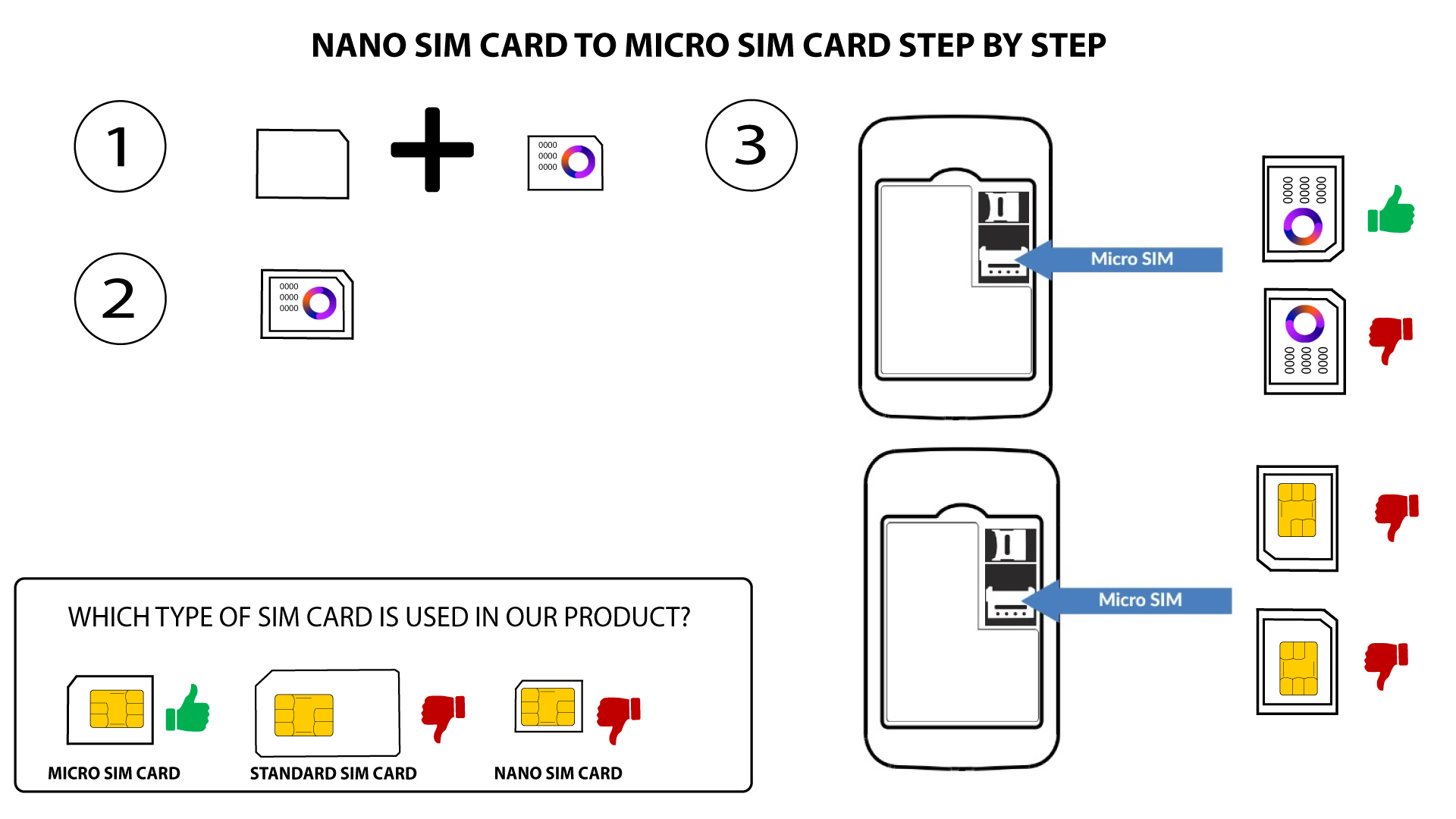

Упозорење: Уверите се да је ваша СИМ картица правилно постављена у адаптеру пре него што је уметнете у слот.
- Ако уређај не детектује вашу СИМ картицу, проверите њен положај и да ли сте исправно уметнули адаптер.