
4G AIRSPOT 220 Мобилни Wi-Fi са екраном
Сва питања
4G AIRSPOT 220 Мобилни Wi-Fi са екраном
Како да променим SSID (назив Wi-Fi мреже) и лозинку за Wi-Fi?
У веб интерфејсу имате два начина да промените SSID (назив Wi-Fi мреже) и лозинку за Wi-Fi вашег рутера:
• Коришћењем Брзих подешавања
• Или коришћењем подешавања Wi-Fi мреже
1 СЛУЧАЈ 1: Брза подешавања
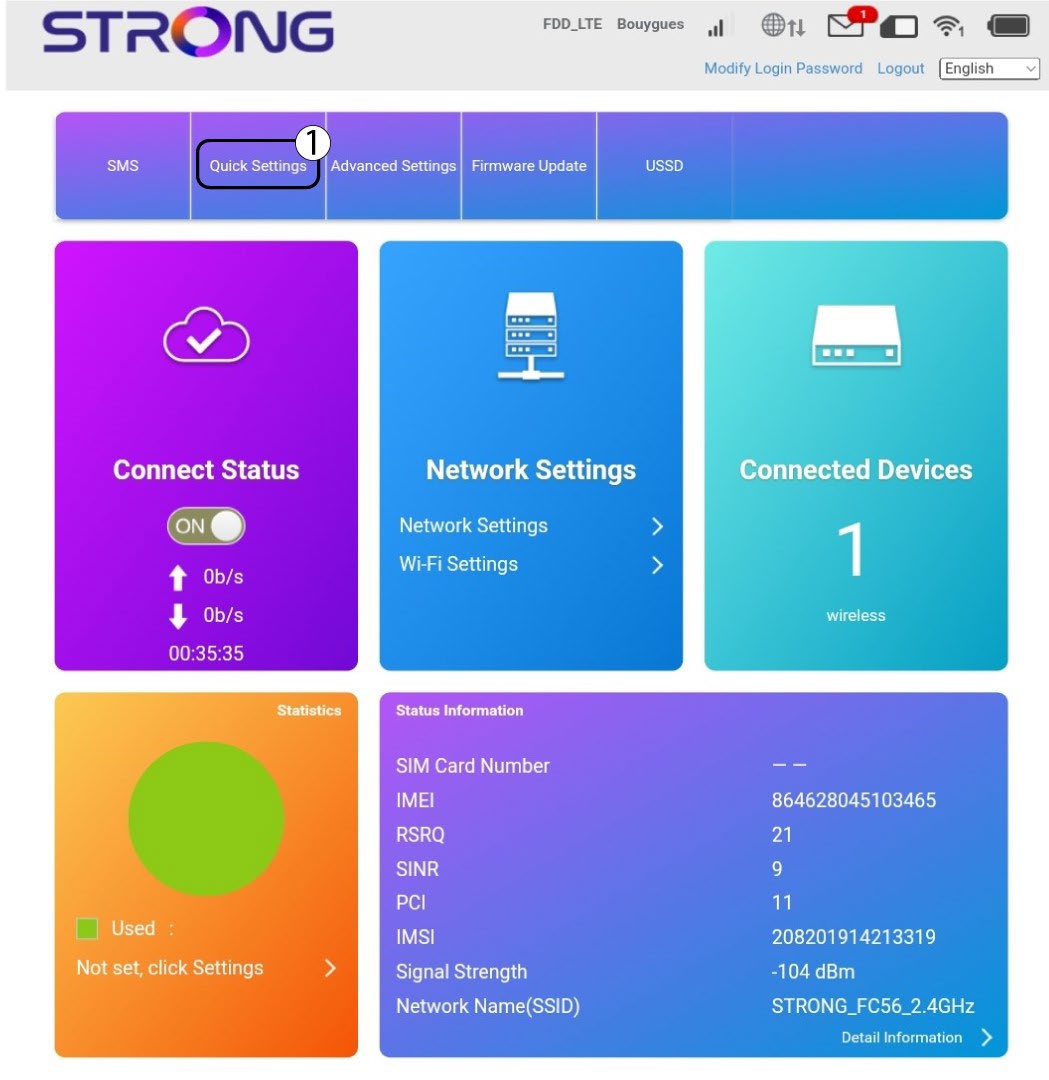
У веб корисничком интерфејсу, Брза подешавања вам омогућавају да промените информације о вашој мрежи: њен SSID (назив Wi-Fi мреже) и Wi-Fi лозинку.
Да бисте то урадили, кликните на Брза подешавања у горњој траци.
2 Подешавање АПН-а
Кликните на Даље .

3 ССИД
Унесите ново име мреже и кликните на Даље .

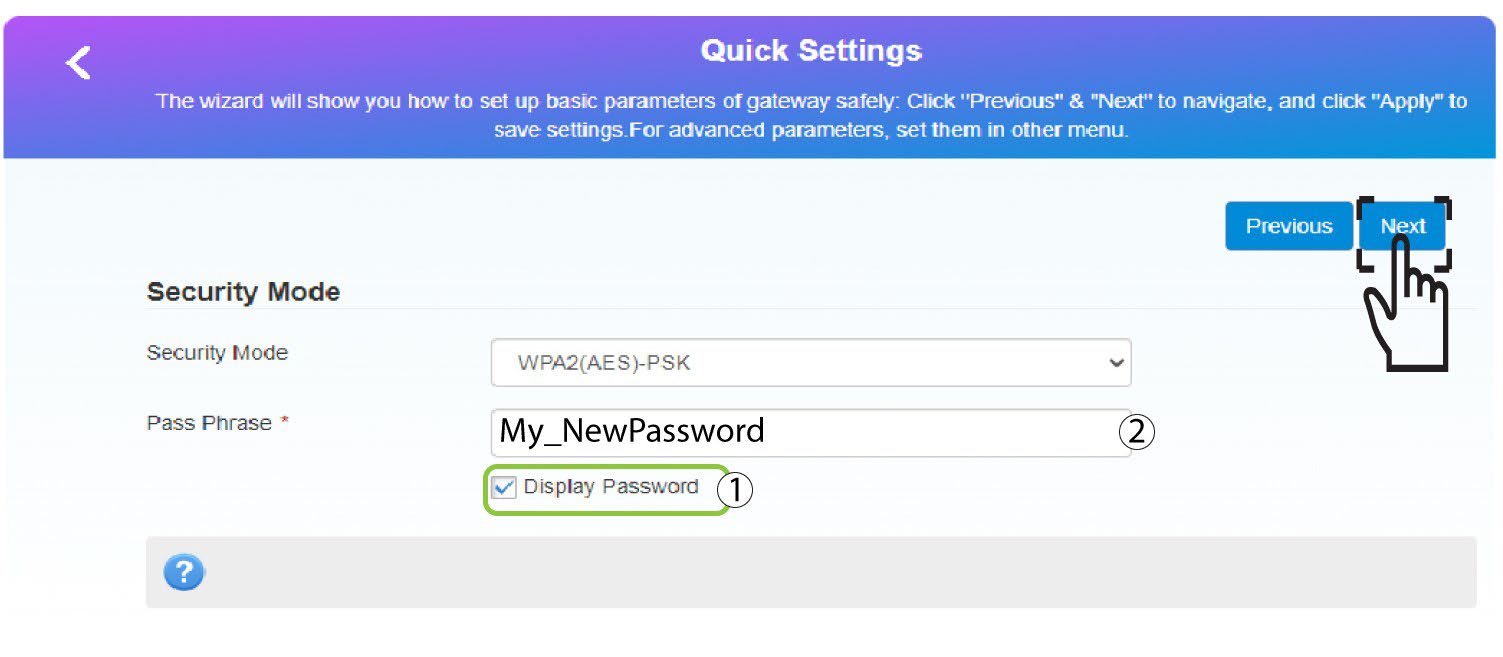
4 Унесите нову лозинку
Кликните на Прикажи лозинку и унесите нову лозинку за Ви-Фи мрежу, а затим кликните на Даље.
5 Сачувајте нове информације о мрежи
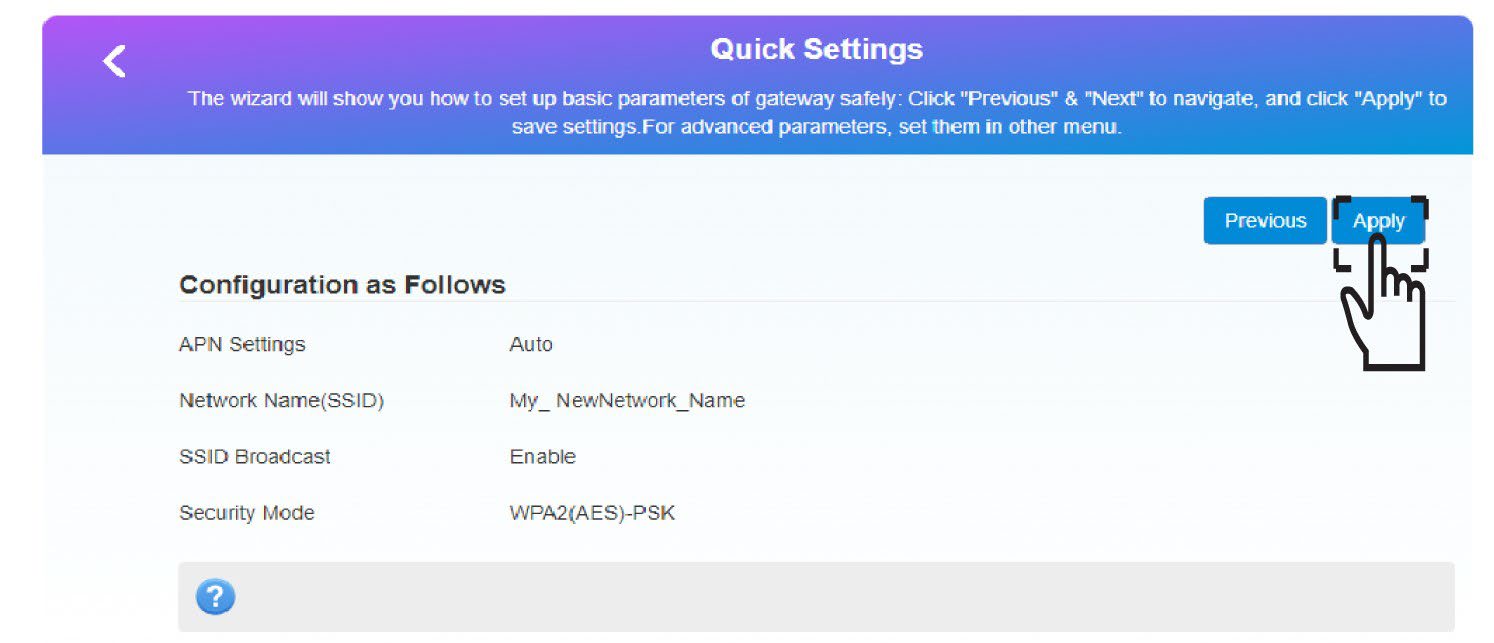
Кликните на Примени да бисте сачували измене.
6 Запишите нове информације о мрежи
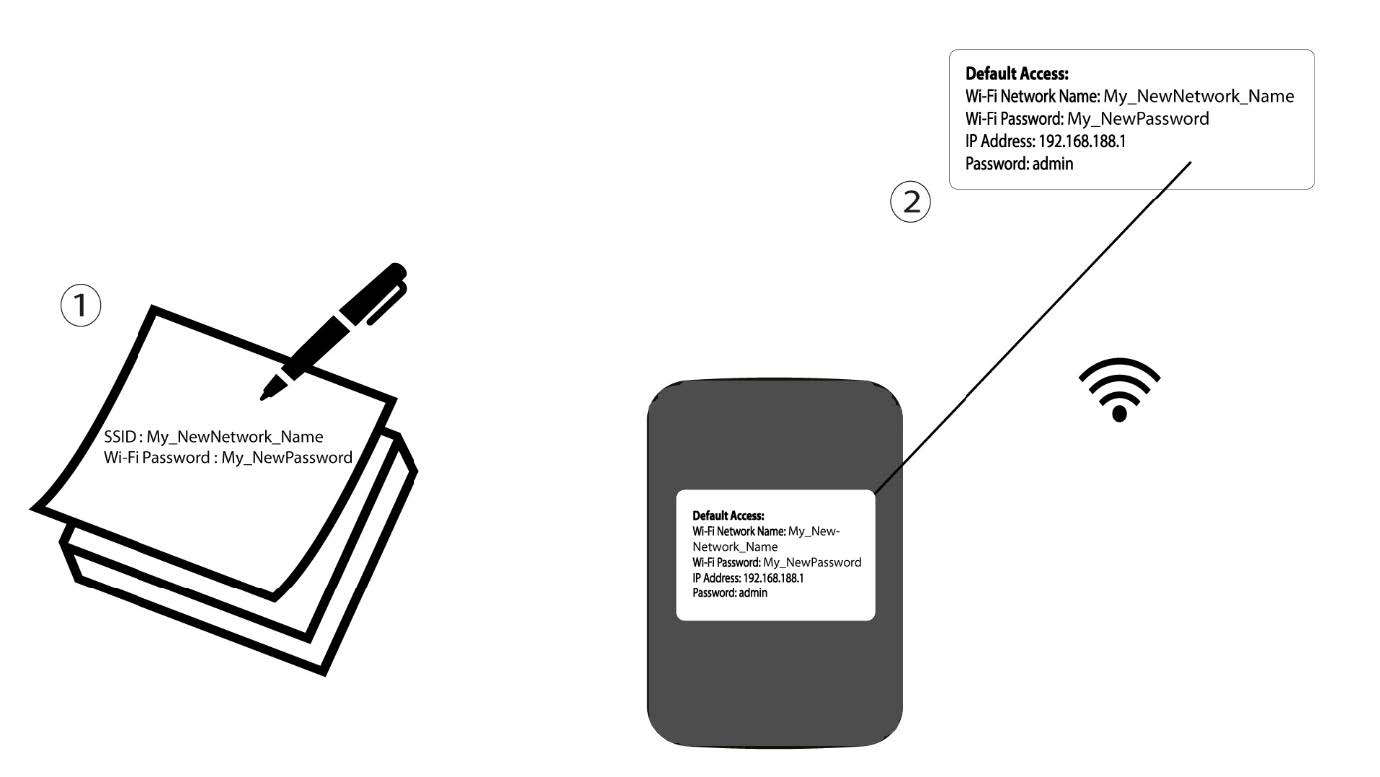
Запишите нове информације о мрежи на комад папира.
1 СЛУЧАЈ 2: Подешавања Wi-Fi мреже
Повежите се на Wi-Fi мрежу вашег рутера.

2 Прегледајте ИП адресу веб интерфејса
Затим, унесите следећу ИП адресу: 192.168.188.1 у ваш прегледач.

3 Пријава
Морате унети Лозинку .

4 подешавања Wi-Fi мреже
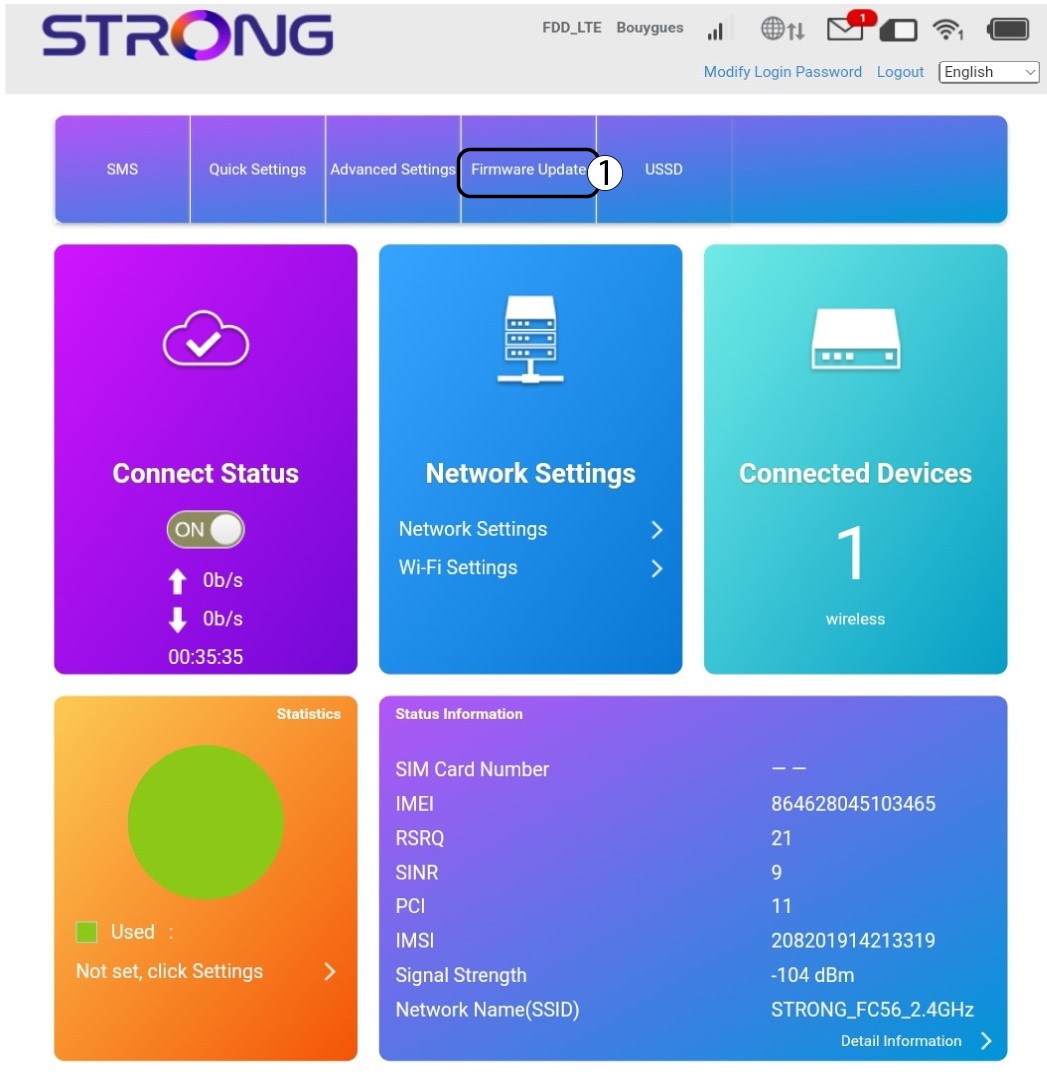
Кликните на Подешавања Wi-Fi мреже у одељку Подешавања мреже.
5 Промена лозинке
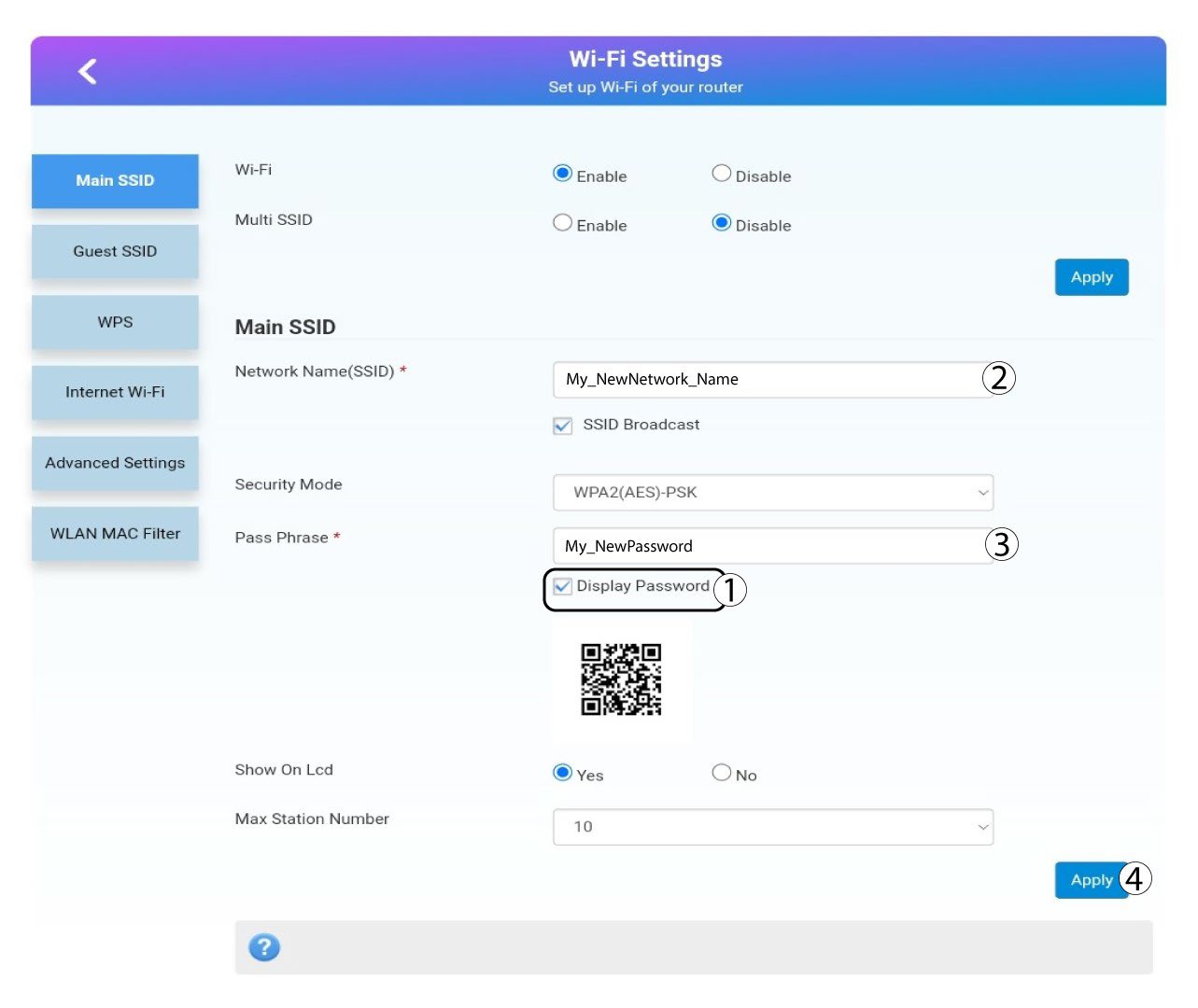
Кликните прикажи лозинку и унесите следеће информације пре него што кликнете Пријавите се:a. Унесите ново име мреже.б. Унесите нову лозинку за Wi-Fi.
6 Потврда
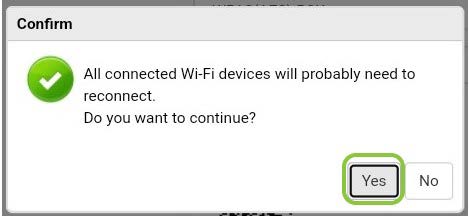
У искачућем прозору са поруком кликните на Да да бисте применили измене.
7 Запишите нове информације о мрежи
Запишите нове информације о мрежи на комад папира.
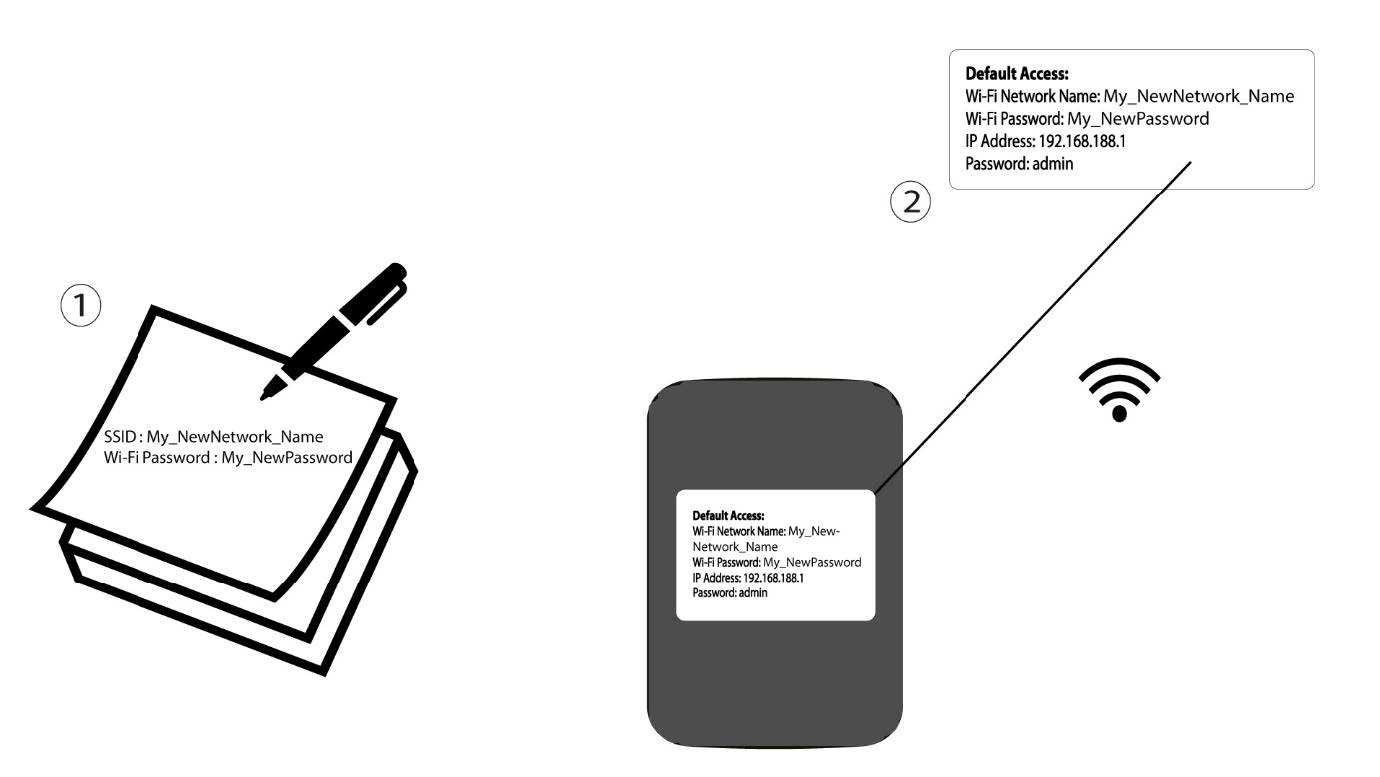

Упозорење: Након промене информација о Wi-Fi мрежи, сви уређаји који су били повезани на мрежу биће аутоматски искључени.