4G AIRSPOT 220 Мобилни Wi-Fi са екраном
Сва питања
4G AIRSPOT 220 Мобилни Wi-Fi са екраном
Како да проверим и изменим подешавања АПН-а мог провајдера услуга?
Када уређај не препозна аутоматски вашу СИМ картицу, морате се пријавити на веб интерфејс да бисте проверили подешавања АПН-а и изменили их, ако је потребно. Подешавања АПН-а вашег провајдера можете пронаћи директно на његовој веб страници или их можете затражити од службе за подршку вашег провајдера.
1 Повежите се са Wi-Fi мрежом рутера
Морате се повезати са веб интерфејсом. Да бисте то урадили, унесите SSID (назив Wi-Fi мреже) и лозинку за Wi-Fi рутер у свој уређај.

2. Прегледајте ИП адресу веб интерфејса
Затим, унесите следећу ИП адресу у ваш прегледач: 192.168.188.1

3 Унесите своје акредитиве
Ти мора ући у ЛозинкаЗатим кликните Пријава.
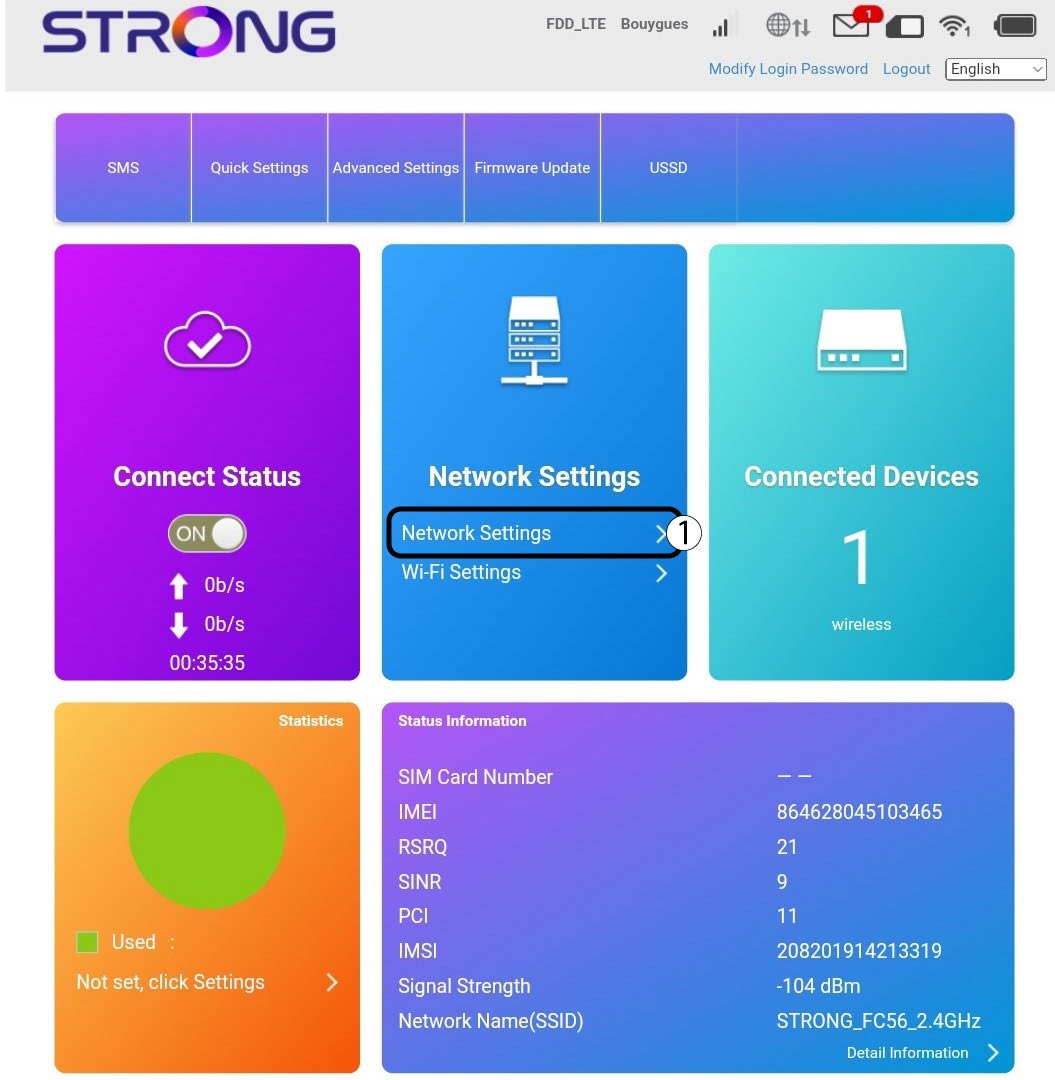
4 Подешавања интернета
Кликните на Подешавања мреже.
5 Потражите подешавања АПН-а вашег провајдера услуга
- Потражите подешавања за APN на веб-сајту вашег провајдера. Потребно је да запишете следеће информације:
- Име
- Назив приступне тачке
- Корисничко име
- Лозинка
- Тип аутентификације
6 Измените информације ако конфигурација није исправна
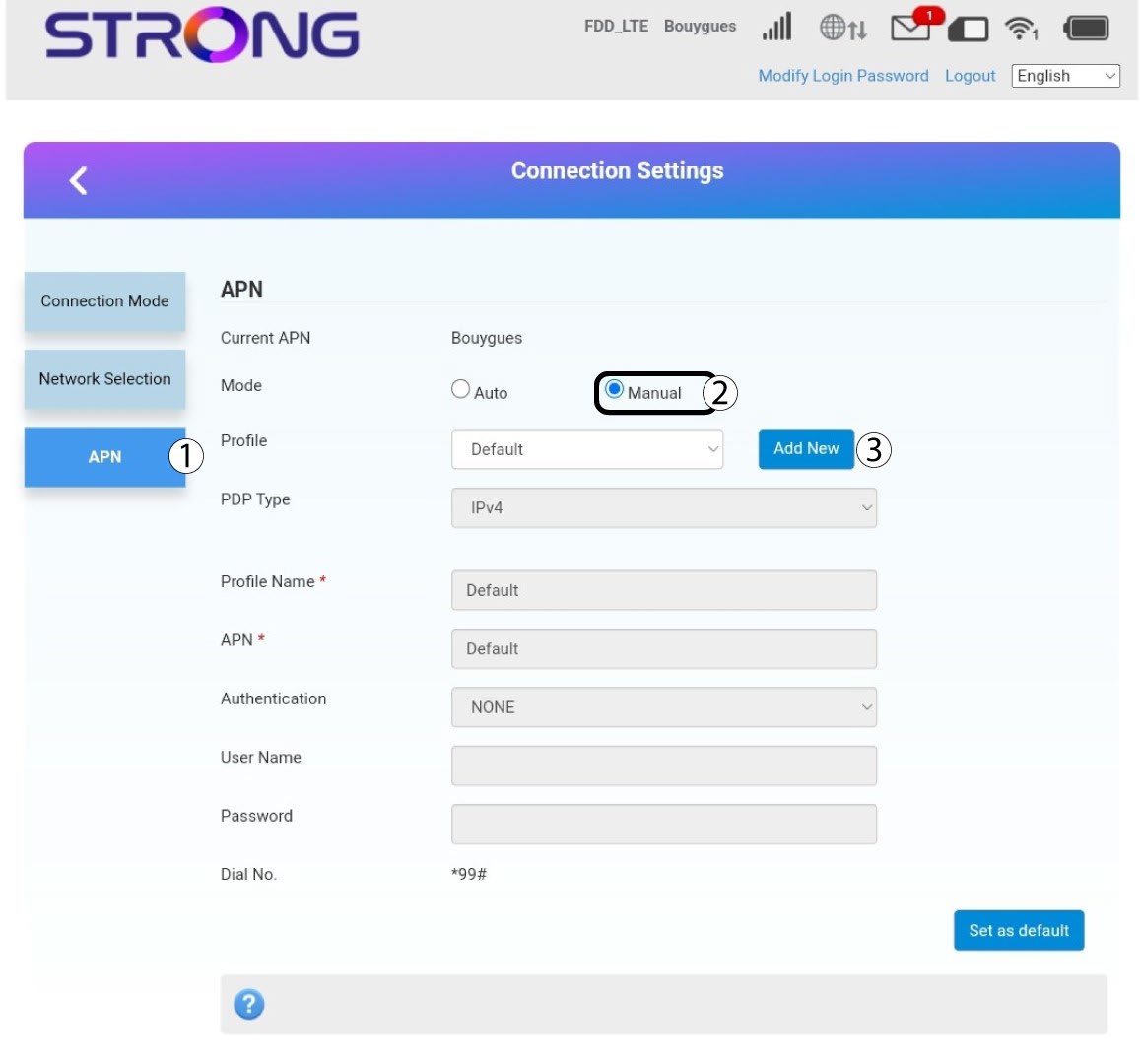
Ако су информације нетачне, кликните на APN, а затим на Manual и Add New .
7 PDP тип
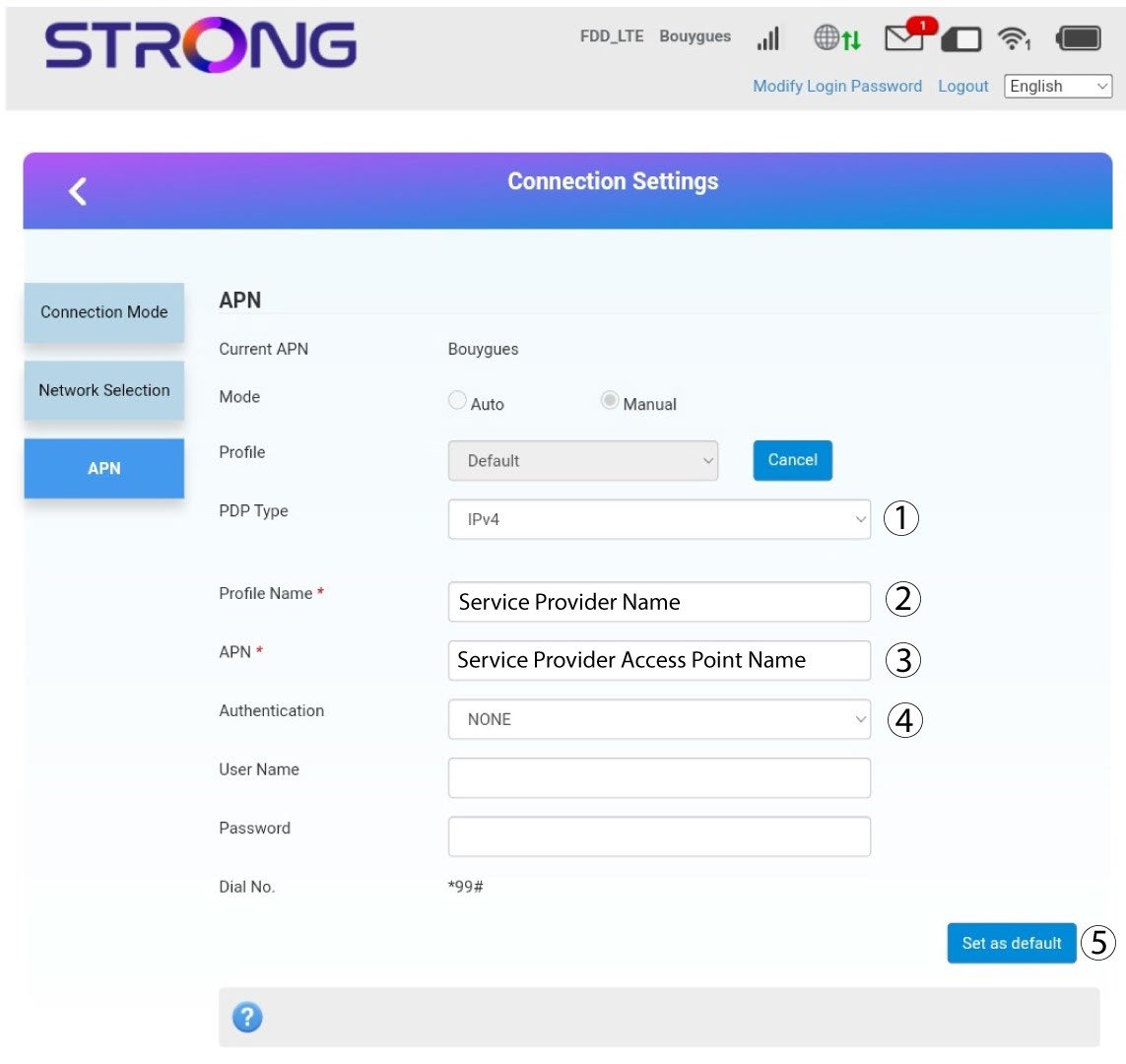
Унесите следеће информације пре него што кликнете на Постави као подразумевано :
· PDP тип : изаберите IPv4 као вредност PDP типа.
· Име профила : унесите име вашег добављача услуга.
· АПН : унесите АПН адресу.
· Тип аутентификације : Изаберите тип аутентификације који је дефинисао ваш провајдер за ваш APN између следећих вредности (NONE, CHAP, PAP)