4G AIRSPOT 220 Мобилни Wi-Fi са екраном
Нема пронађених ставки.
Нема пронађених ставки.
Сва питања
4G AIRSPOT 220 Мобилни Wi-Fi са екраном
Нема пронађених ставки.
Нема пронађених ставки.
Како да ажурирам фирмвер уређаја
Када сте повезани на веб интерфејс, морате проверити верзију фирмвера коју користи ваш уређај користећи опцију за онлајн надоградњу у веб интерфејсу. На тај начин ће бити инсталирана најновија верзија фирмвера.
Ако ваш рутер није ажуриран, погледајте поступак испод да бисте ажурирали фирмвер.
1 Повежите се са Wi-Fi мрежом рутера
- Да бисте ажурирали фирмвер уређаја, морате се повезати на Ви-Фи мрежу вашег рутера.
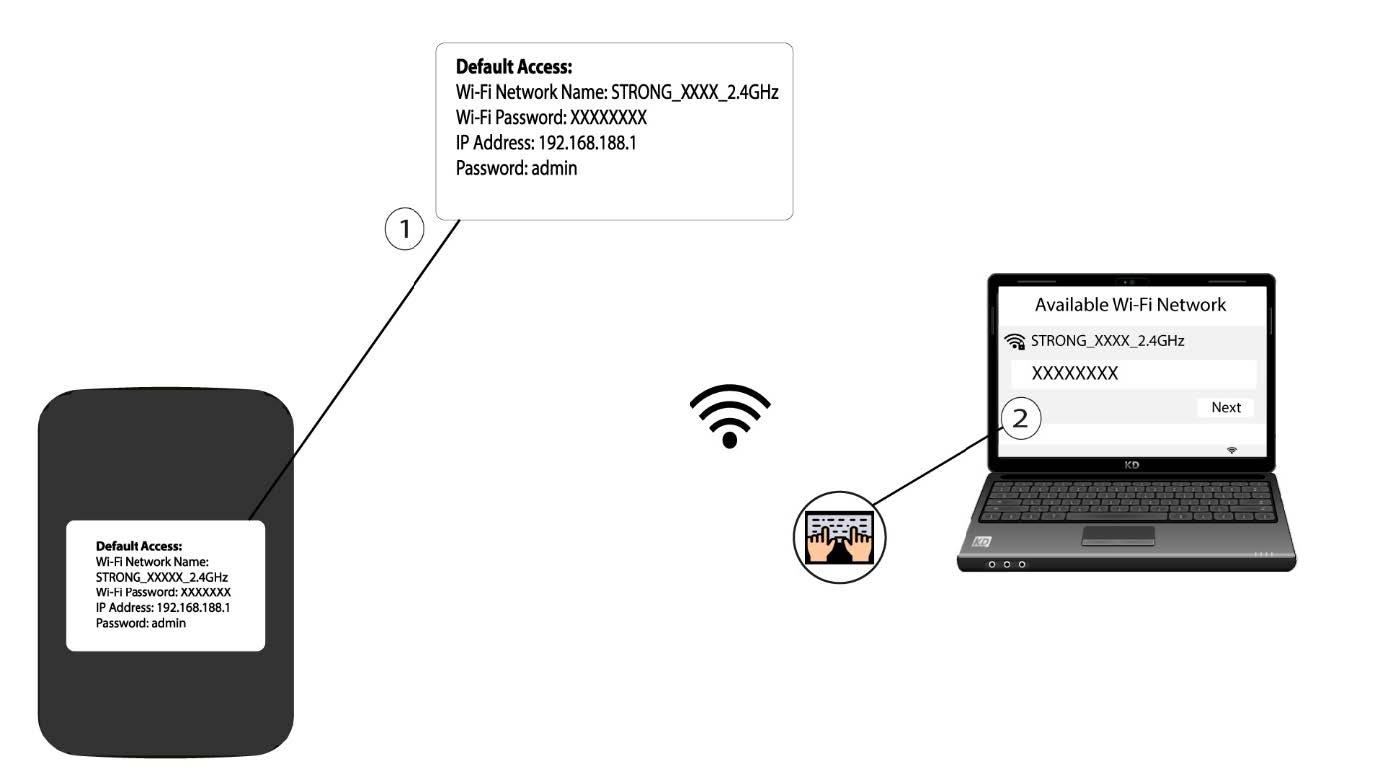
2 Прегледајте ИП адресу веб интерфејса
Затим унесите следећу ИП адресу: 192.168.188.1 у ваш прегледач.

3 Приступите страници за пријаву
Морате унети лозинку.

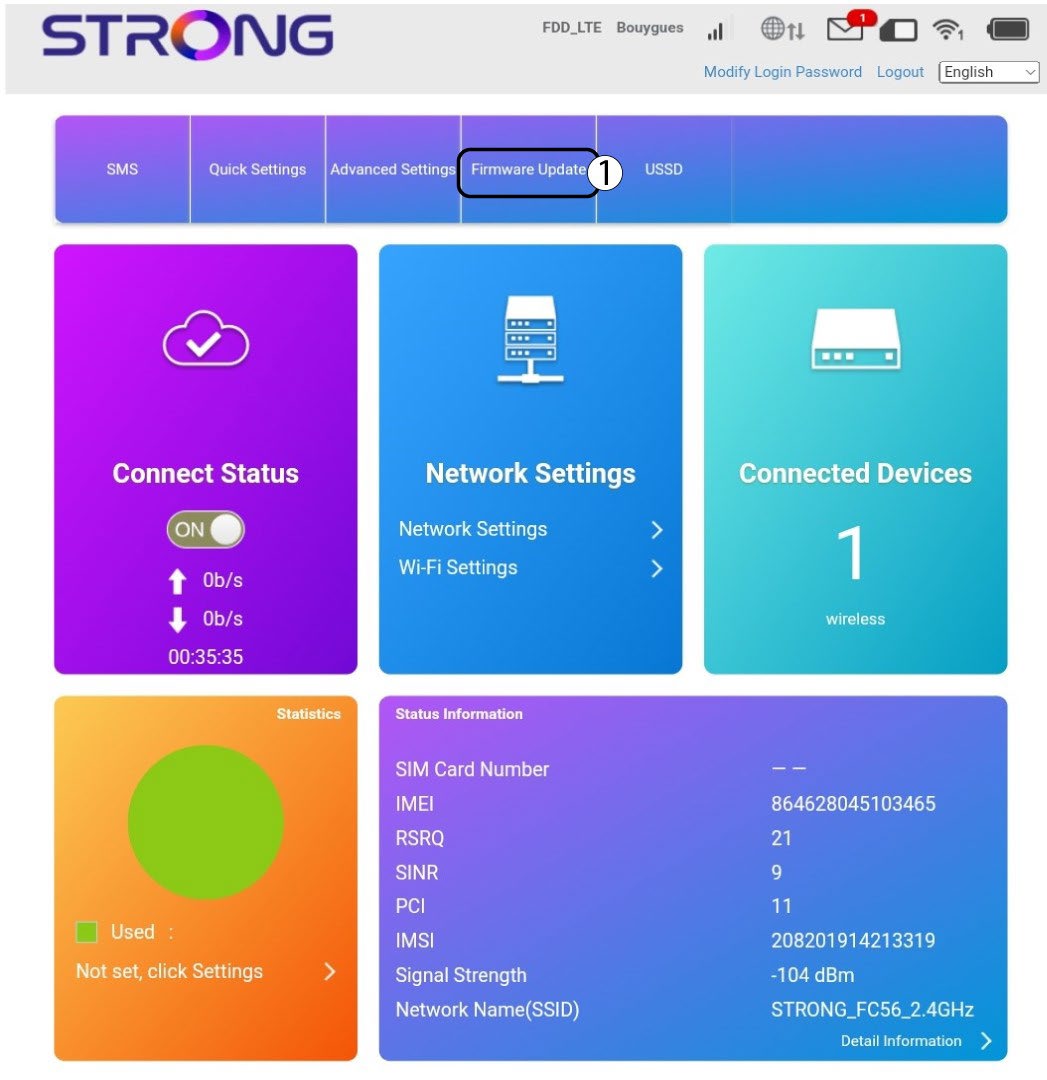
4 Ажурирање
Кликните на Ажурирање фирмвера.
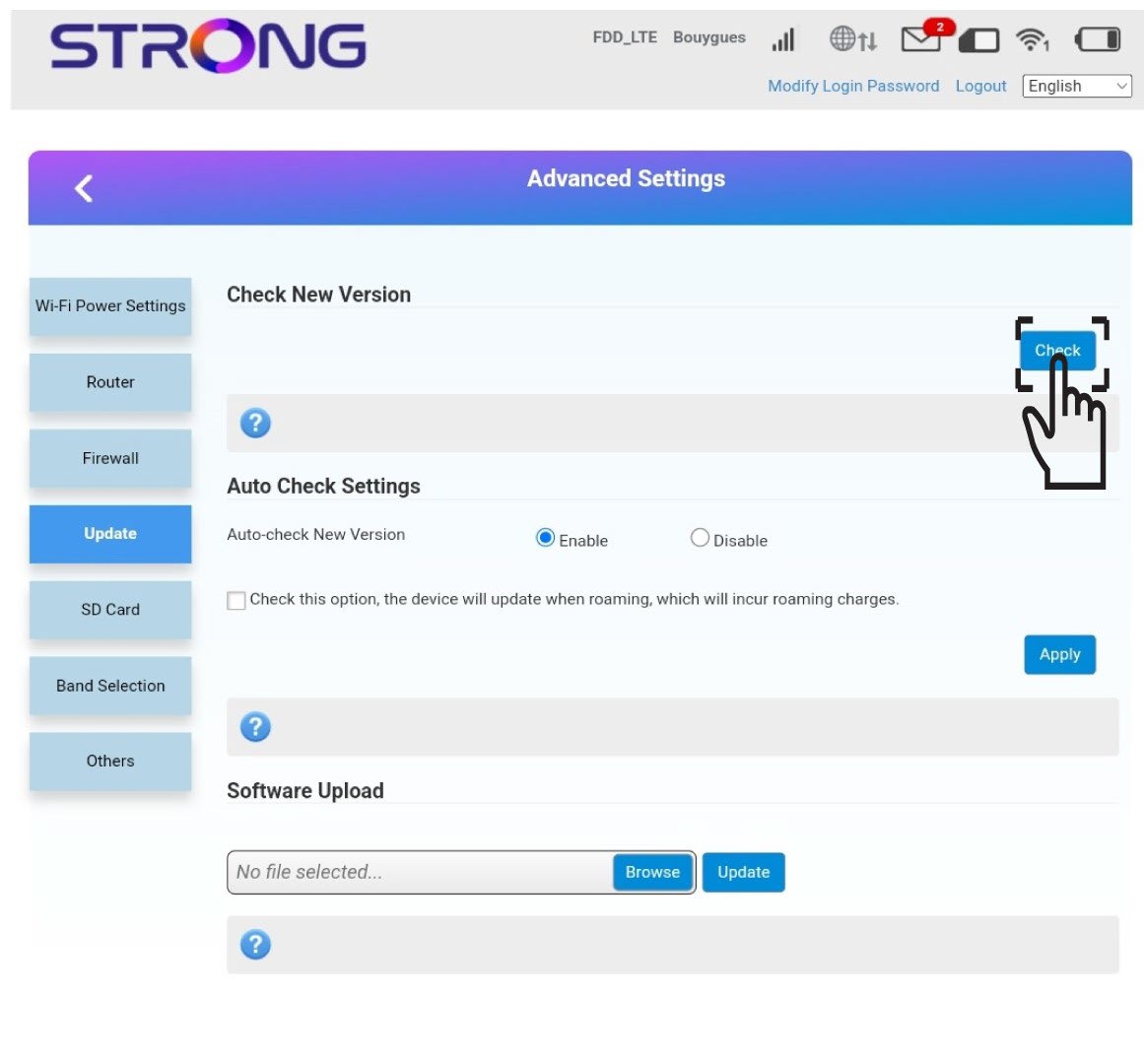
5 Проверите нове верзије
Кликните на Провери у одељку Провери нову верзију. Најновија верзија софтвера ће се аутоматски преузети и мораћете поново да се повежете са Ви-Фи мрежом да бисте унели свој ПИН код.